How to Refresh Old Blog Posts in 2026: My Content-Refresh System for More Traffic

Why Your Best Traffic Opportunity Is Already Sitting in Your Archive
If you want more organic traffic in 2026, the fastest path is not a brand-new post. It is fixing the posts you already published. Refreshing old blog content — updating the facts, tightening the structure, and re-optimizing for how search works today — is the single highest-return task I do on byskh.com, and the data backs it up. HubSpot’s historical optimization study found that updated posts see a median 106% increase in organic traffic, and that companies that re-optimized older content more than doubled lead generation from those same pages. You do not need a bigger content calendar. You need a system for mining the archive you already own.

I am Sk Hasan, and I have been running blogs long enough to watch dozens of “winner” posts quietly decay. A post that ranked on page one two years ago slides to position 14, loses its featured snippet, and stops converting — not because it got worse, but because the world moved and it stood still. This guide is the exact content-refresh system I use, step by step, so you can turn stale archive posts into your most reliable traffic engine.
The Case for Refreshing Instead of Publishing More
Most bloggers treat old posts as finished. That is a mistake. According to HubSpot’s blog analysis, 76% of monthly blog views and 92% of blog-generated leads come from posts published in prior months, not from that week’s new article. Your archive, in other words, is doing the heavy lifting whether you tend to it or not. Ignoring it means leaving your best-performing asset to erode.
The efficiency argument is even more striking. A Databox survey of marketers found that nearly 90% said updating and repurposing existing content is more effective than creating new content from scratch. That tracks with my own numbers: a refresh takes me two to four hours, while a strong new post takes two to three days. When a two-hour edit can double a page’s traffic, the math is not close.
Refreshing also compounds. Search engines reward information gain — genuinely new, useful detail — and pages that get republished with real updates jump an average of 4.6 SERP positions according to content-refresh data compiled for 2026. Do this across twenty archive posts and you have effectively published a season’s worth of “new” ranking pages without writing twenty new articles. If you are still deciding what your blog should even be about, my guide to the most profitable blogging niche ideas pairs well with this refresh system, because a focused niche makes every update reinforce the same topical authority.
How AI Search Changed the Refresh Game in 2026
Here is what makes refreshing more urgent now than it was even two years ago: AI-generated answers. Google’s AI Overviews now appear on roughly 48% of search results pages, and on those queries they have cut organic click-through rates by about 61%. That sounds like a disaster for bloggers — until you look at the other side of the number. Brands that get cited inside an AI Overview see a click-through boost of around 35% on those queries. Citation is the new page-one.

And what do AI engines cite? Fresh, factually accurate, clearly structured content. Ahrefs’ study of 17 million AI citations found that the content AI assistants cite is on average 25.7% fresher than what traditional organic results surface. When you update a post — correcting a 2023 statistic, adding a direct answer near the top, breaking walls of text into scannable sections — you are not just pleasing Google’s ranking system, you are making your page the easiest thing for an AI to quote. I go deeper on adapting to this shift in my zero-click search survival guide, but the short version is simple: refreshing is now the most direct way to win AI citations on content you already own.
One warning, because it trips people up: changing the publish date without changing the substance does nothing. Google’s freshness evaluation is about information gain, not a timestamp. A cosmetic date swap produces no ranking benefit and can erode trust if readers notice the dates do not match the content. Refresh the substance, then update the date.
Step One: Audit and Prioritize Your Archive
You cannot refresh everything at once, so start by finding the posts where an update will pay off fastest. Open Google Search Console and export your Pages report for the last 6 to 12 months. I look for three profiles. First, “striking distance” posts ranking in positions 5 through 20 for keywords with real search volume — these are one good refresh away from the top five. Second, “decaying winners” whose impressions or clicks have dropped 30% or more year over year. Third, “high-intent decayers,” money posts about tools, reviews, or how-to buying decisions that have slipped.
Prioritization matters because refresh impact is uneven. Backlinko’s well-known content-relaunch case study documented a 260.7% increase in organic traffic in 14 days from a single strategic relaunch — but that result came from picking a page with genuine untapped demand, not a random old post. Sort your candidate list by potential traffic and business value, then work top-down. I keep a simple spreadsheet: URL, current position, target keyword, monthly volume, last-updated date, and a one-line note on what is missing.
For cadence, I use a tiered schedule. Evergreen pillar posts get a look every 12 to 18 months. High-value money posts — the ones tied to revenue — get refreshed every 6 to 12 months. Anything time-sensitive, like posts with statistics, pricing, or year-stamped lists, gets refreshed every 6 months. If you are building revenue around these pages, my breakdown of how to monetize a blog explains which posts deserve the most frequent attention.
Step Two: Diagnose What Actually Went Wrong
Before you touch a word, figure out why the post slipped. A refresh is a diagnosis, not a face-lift. I run every candidate through five checks. Is the information outdated — old stats, dead tools, superseded advice? Does the post still match search intent, or has the SERP shifted toward listicles, videos, or comparison tables? Has the content been out-depthed by competitors who now cover angles you skipped? Are there technical issues — broken links, missing images, slow load? And is the structure AI-friendly, with a direct answer up top and clear H2/H3 headings?
This diagnosis step is where most “refreshes” fail, because people rewrite the intro and call it done. Real gains come from closing content gaps. Pull the current top three ranking pages for your target keyword and list every subtopic they cover that you do not. Those gaps are your update roadmap. Research consistently shows a successful refresh lowers bounce rate and increases time on page, and both signals come from covering the reader’s question more completely, not from prettier prose.
Step Three: Execute the Refresh
Now the hands-on work. I move through a fixed checklist so nothing gets skipped:
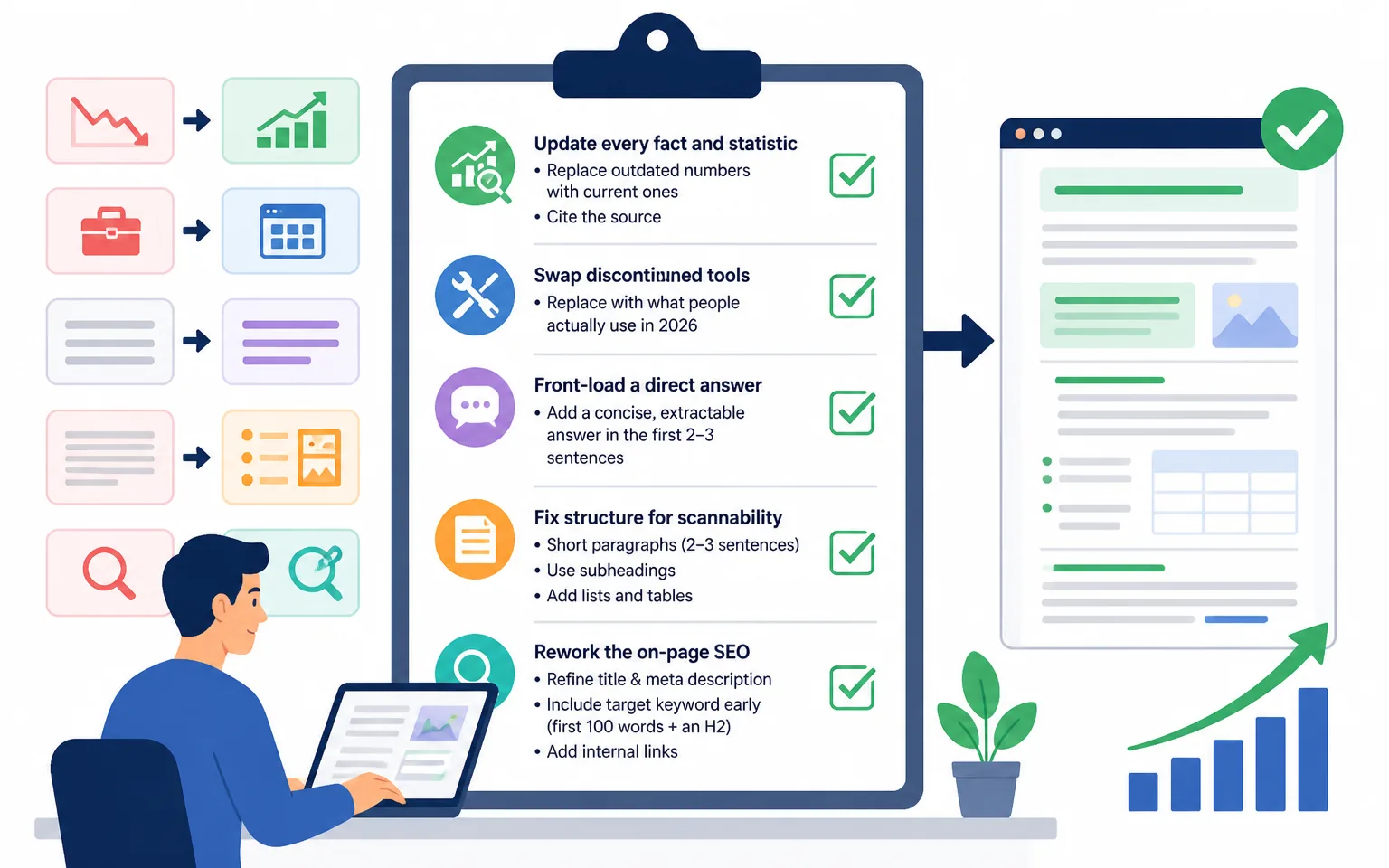
Update every fact and statistic
Replace outdated numbers with current ones and cite the source. Swap discontinued tools for what people actually use in 2026. This alone often restores rankings, because factual accuracy is exactly what AI engines and Google’s helpfulness systems reward.
Front-load a direct answer
Add a concise, extractable answer in the first paragraph — two to three sentences that directly answer the query. This is what gets pulled into featured snippets and AI Overviews. Everything after can expand and support it.
Fix structure for scannability
Break long paragraphs into two or three sentences each. Convert dense sections into subheadings, short lists, and tables. Structured, scannable content is what both readers and AI crawlers prefer, and it directly improves the time-on-page and bounce metrics that signal quality.
Rework the on-page SEO
Refine the title and meta description for click-through, confirm the target keyword appears naturally in the first 100 words and in at least one H2, and add internal links to related posts. My on-page SEO checklist is the exact reference I run against every post before republishing so I do not miss a step.
Add an FAQ and fresh media
Append a short FAQ answering the “people also ask” questions for your keyword — this captures long-tail queries and gives AI engines clean question-answer pairs to cite. Replace or add at least one relevant image or diagram; posts with fresh visuals hold attention longer.
When I am closing content gaps quickly, I lean on AI drafting for first passes and then edit hard for accuracy and voice. If that is new to you, my walkthrough on how to write content using AI covers the workflow I trust for speeding up the writing without letting quality slip.
Step Four: Republish, Redistribute, and Measure
Once the substance is genuinely improved, update the “modified” date so search engines register the change, and — only if the update is substantial — update the visible publish date too. Then treat the refreshed post like a launch. Re-share it on your channels, email it to your list, and add fresh internal links to it from newer posts so link equity flows to the updated page.
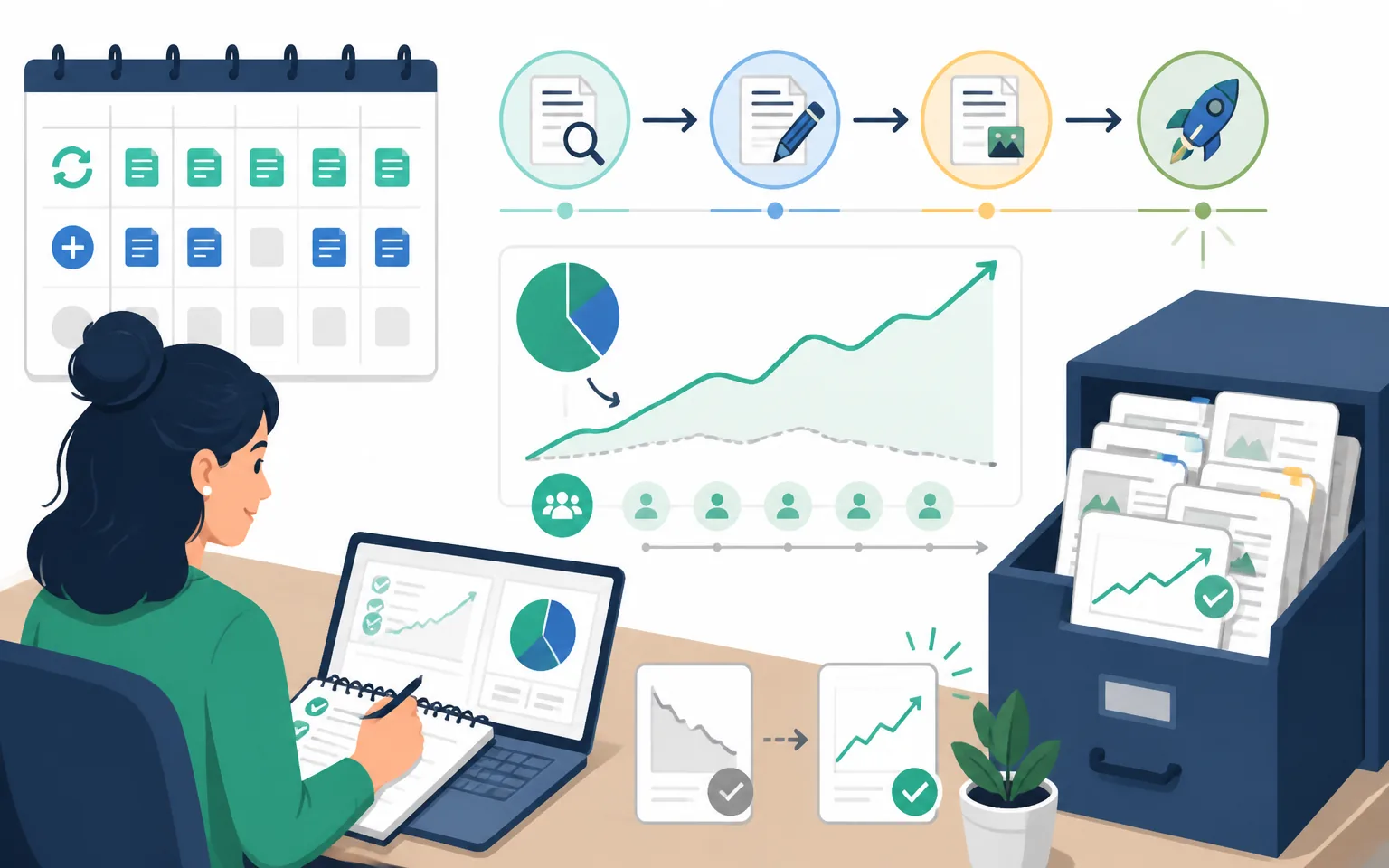
Measurement closes the loop. Note the post’s starting position and traffic before you republish, then check back at 14, 30, and 60 days. Backlinko’s relaunch data showed movement within two weeks, and my own refreshes typically show ranking shifts inside 30 days. If a post does not move after 60 days, the diagnosis was probably wrong — usually the intent mismatch was deeper than I thought — and it goes back into the queue for a harder look. Track which types of refreshes move the needle most for your site, and let that steer where you spend the next month’s hours.
A Realistic Refresh Cadence You Can Sustain
You do not need to overhaul your whole archive this quarter. I refresh two to four posts per week alongside publishing one to two new ones. That ratio has flipped my growth curve: because 76% of blog views come from older posts, spending half my content time on the archive means I am investing where the traffic actually lives. Over a year, that is roughly 150 refreshed pages — far more ranking improvements than I could ever get from new posts alone.
Start small. Pick your five highest-potential decaying posts this week, run them through the four steps, and log the before-and-after. Once you see the first post double its traffic — and if you chose well, you will — the system sells itself. The archive you have been ignoring is the growth channel you have been looking for.
Frequently Asked Questions
How often should I refresh old blog posts?
Use a tiered schedule: evergreen pillar posts every 12 to 18 months, revenue-critical money posts every 6 to 12 months, and time-sensitive content with statistics, pricing, or year-stamped lists every 6 months. High-value pages that are slipping in rankings jump the queue regardless of the calendar.
Does just changing the publish date improve SEO?
No. Google evaluates freshness based on information gain, not the timestamp. Updating the date without substantive content changes produces no ranking benefit and can hurt reader trust. Change the substance first, then update the date to reflect the real update.
How long until a refreshed post shows results?
Often within 14 to 30 days. Backlinko documented a 260.7% traffic increase within 14 days from a strategic relaunch, and most well-diagnosed refreshes show ranking movement inside a month. If nothing changes after 60 days, revisit the diagnosis — usually the search intent was misread.
Is refreshing really better than publishing new content?
For most blogs, yes. Nearly 90% of marketers in a Databox survey said updating and repurposing existing content is more effective than creating new content from scratch, and updated posts see a median 106% traffic increase per HubSpot’s data. A refresh takes a fraction of the time of a new post for a comparable or larger gain.
How does content refresh help with AI search and AI Overviews?
AI engines preferentially cite content that is fresh, factually accurate, and clearly structured, and studies show AI models cite refreshed content about 25.7% more often than older results. Since AI Overviews appear on roughly 48% of searches and boost click-through for cited brands by around 35%, refreshing is now one of the most direct ways to earn AI citations on pages you already own.