Content Decay: How I Find and Refresh Old Blog Posts to Recover Lost Rankings

A strange thing happened to one of my best-performing posts last year. It had ranked on page one for over eighteen months, quietly bringing in hundreds of visitors a week, and then — without me touching a thing — traffic started sliding. Ten percent one month, fifteen the next. No penalty, no lost backlinks, no technical disaster. Just a slow, silent bleed. That was my introduction to content decay, and fixing it turned out to be the highest-ROI SEO work I did all year. In this guide, I’ll walk you through exactly how I find decaying posts, decide which ones deserve a refresh, and update them so they recover — and how AI search engines like ChatGPT and Google’s AI Overviews have made freshness matter more than ever in 2026.
What Content Decay Actually Is (And Why It’s Sneaky)
Content decay is the gradual, sustained decline in a page’s organic traffic, rankings, and engagement over time. It’s not a sudden crash from an algorithm update — it’s a slow bleed where a post drops from thousands of monthly visits to hundreds, one small dip at a time. Because each individual month looks like normal fluctuation, most bloggers don’t notice until they’ve lost half their traffic.
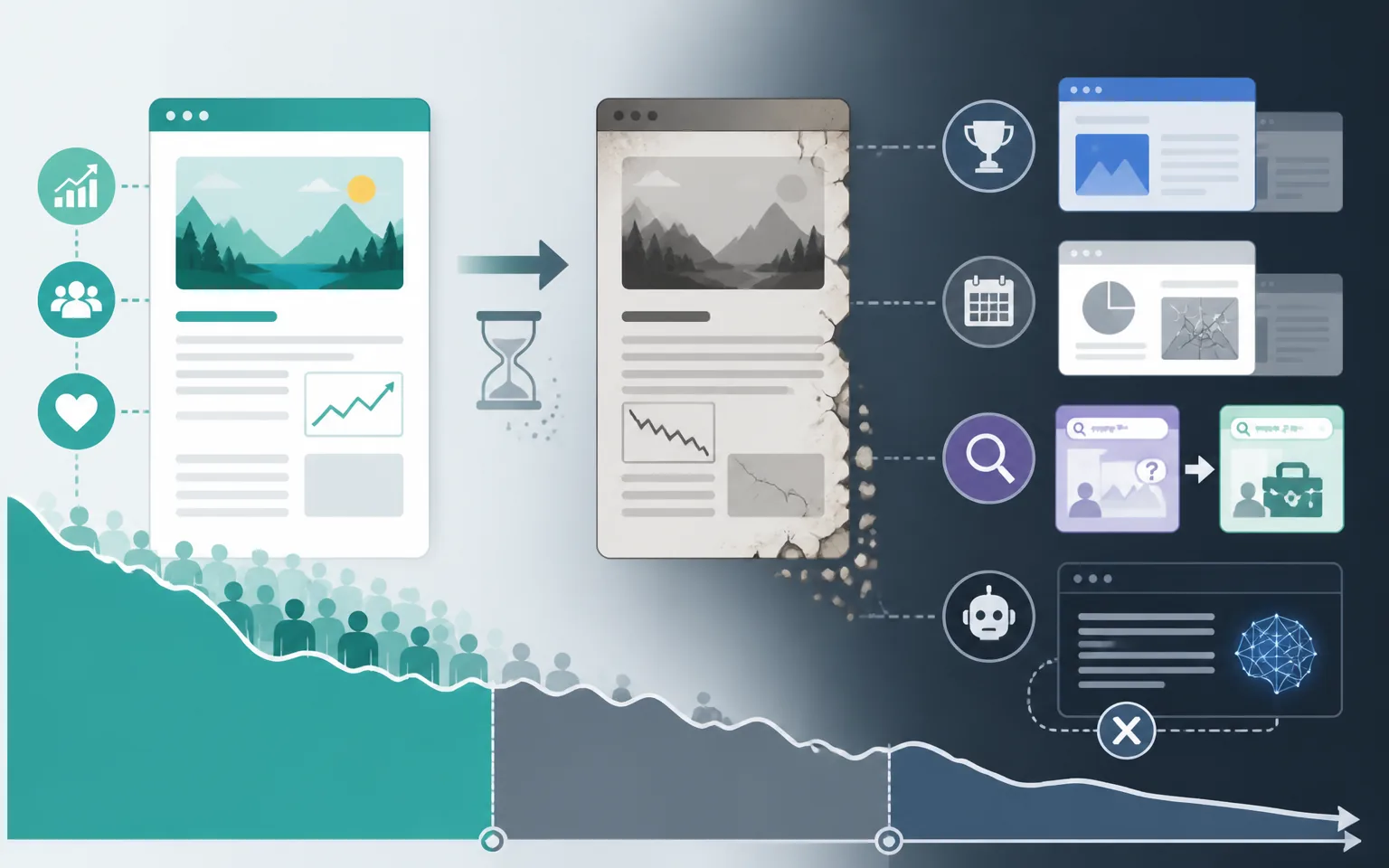
Here’s why this matters so much: according to HubSpot’s historical optimization research, the majority of blog traffic on mature sites — roughly 76% of monthly views — comes from older posts, not new ones. Your archive is your business. When it decays, your whole site decays with it.
Ahrefs’ breakdown of content decay matches what I see in my own archive: decay happens for a few predictable reasons. Competitors publish newer, more complete articles that outrank yours. Your statistics and screenshots go stale, so engagement drops and Google notices. Search intent shifts — a query that used to mean “what is X” now means “best X tools.” And increasingly, AI answer engines skip you entirely because your page looks old.
The AI Search Twist Nobody Saw Coming
This is the part that changed my whole approach in 2026. Ahrefs’ analysis of 17 million AI citations found that AI platforms cite content that is on average 25.7% fresher than what traditional search results surface, and 76.4% of the most-cited pages in ChatGPT and Perplexity had been updated within the previous 30 days. If your post hasn’t been touched in two years, you’re not just slipping in Google — you’re practically invisible to AI answers. The same research found that even the best-performing B2B brands were absent from 71.5% of relevant AI answers in their space.
I covered how to structure content for AI answer engines in my guide to GEO and AEO optimization — refreshing old posts is the other half of that equation.
How I Diagnose Content Decay in Under an Hour
You don’t need expensive tools for this. Here’s my exact process using Google Search Console, which is free.
Step One: Run a Year-Over-Year Comparison
Open Search Console, go to the Performance report, and compare the last six months against the same six months a year earlier. Sort pages by the biggest click declines. This instantly surfaces your decaying posts. I do this quarterly, and it takes fifteen minutes.
Severity matters for prioritization. Industry benchmarks from content decay audits suggest a useful rule of thumb: a 20% traffic decline over six months is early-stage decay that’s easy to recover, while a 60% decline means you’re in rescue mode with a much narrower margin for error. Catch things early and a light touch works; wait too long and you’re essentially rewriting.
Step Two: Check the Position Data, Not Just Clicks
For each declining page, look at average position for its main keyword. Pages sitting in positions 11 through 20 are gold. SEO agencies consistently report that pages ranking just off page one can often reach page one with relatively light updates — they already have authority and relevance; they just need a push. These are always my first refresh targets.
Step Three: Diagnose the Cause
Before touching a post, I search its target keyword and study what currently ranks. I’m asking three questions. Has the intent shifted (are the results now listicles when my post is a how-to)? Are competitors simply more current (2026 data versus my 2024 data)? Or is my post thinner than what wins now? The diagnosis determines the treatment — there’s no point polishing statistics if the entire format is wrong for the query.
My Refresh Playbook: What Actually Moves Rankings
Not all updates are equal. Google explicitly distinguishes between genuine content improvements and fake freshness signals — changing the date without changing the content does nothing and can even erode trust. Here’s what actually works, in order of impact.
Update Every Statistic and Example
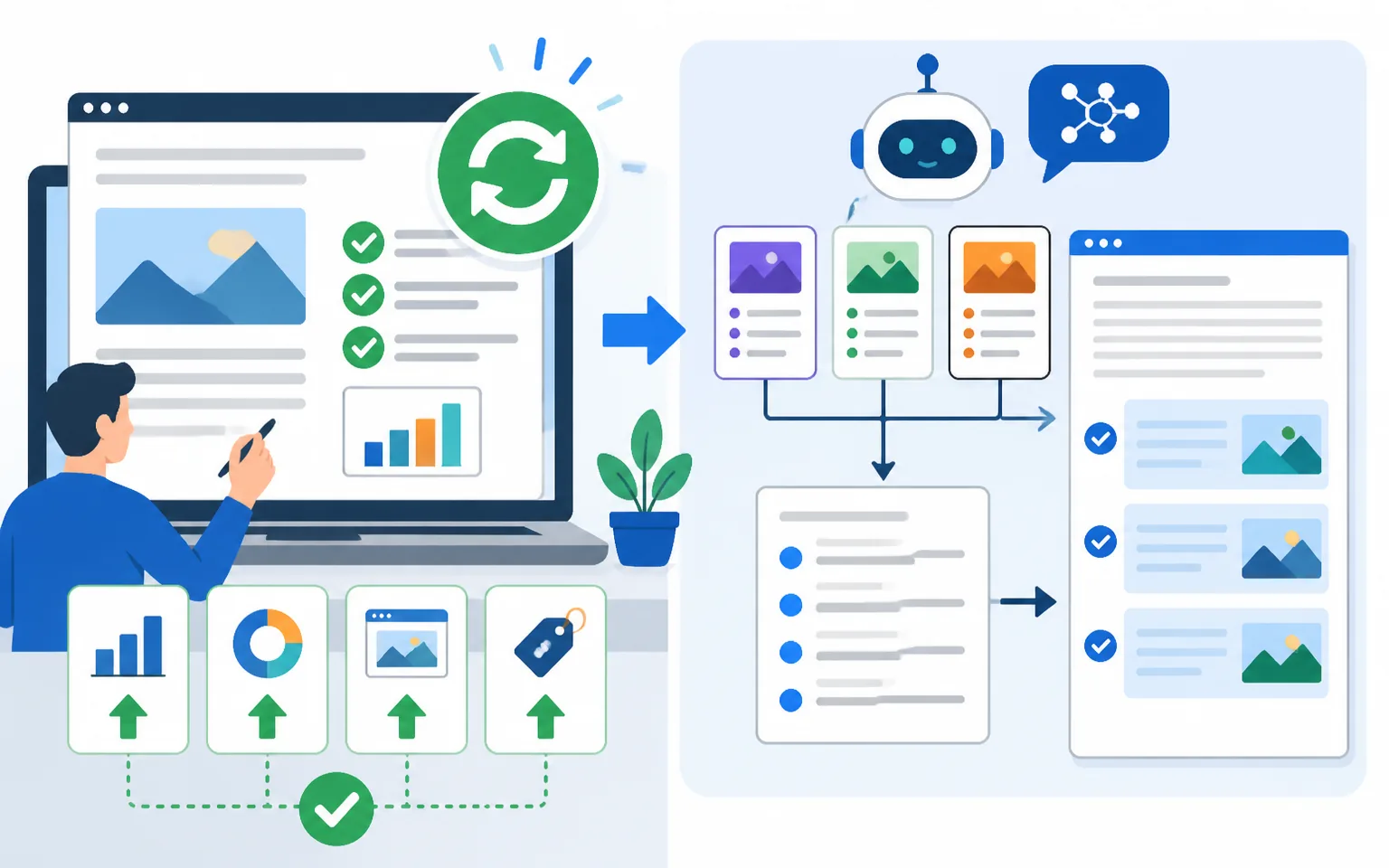
Stale numbers are the most common decay trigger I see. I go through the post line by line and replace every statistic older than 18 months with a current one, complete with attribution. I also update screenshots, tool names, pricing, and examples. This alone often accounts for most of the recovery. The classic proof point here is HubSpot, which famously reported a 106% increase in organic traffic after systematically updating old posts — a number that has held up as the strongest argument for refresh programs ever since.
Close the Content Gaps
I paste my post and the top three ranking competitors into an AI assistant and ask: “What subtopics do the competitors cover that my post misses?” Then I write those missing sections properly — real information, first-hand experience, my own take. This is one of my favorite practical AI workflows, and I shared more like it in my post on how to use ChatGPT for marketing.
Rewrite the Title, Intro, and Meta Description
If click-through rate dropped, the snippet is stale. I rewrite the title to match current intent, punch up the first 100 words, and rewrite the meta description. A post that regains its click-through rate often regains position too, because engagement signals compound.
Strengthen Internal Links
Every refresh is a chance to wire the post into your site’s topic clusters. I add links from the refreshed post to newer related content, and — just as important — links from newer posts back to the refreshed one. Fresh internal links tell Google the page is alive and part of an active topic. I wrote a full walkthrough in my internal linking strategy guide, and it pairs naturally with the pillar-cluster playbook.
Add an FAQ and Answer-Ready Formatting
Because AI engines assemble answers from extractable chunks, I restructure key sections so the direct answer comes first, followed by explanation. Short paragraphs, descriptive H2s and H3s, a definition near the top, and an FAQ section targeting the People Also Ask questions for the keyword. This formatting is precisely what gets quoted in AI Overviews.
How Often Should You Refresh? My Schedule
The 2026 benchmark that keeps showing up in freshness studies is a mini-refresh every 60 to 90 days for competitive, money-driving pages — updating data points, tweaking the intro, adding a recent development — with a deep refresh annually. That cadence lines up with how AI engines behave: analyses of citation patterns show content updated within the last 30 days dominates AI citations, so high-value pages benefit from being perpetually “recent.”
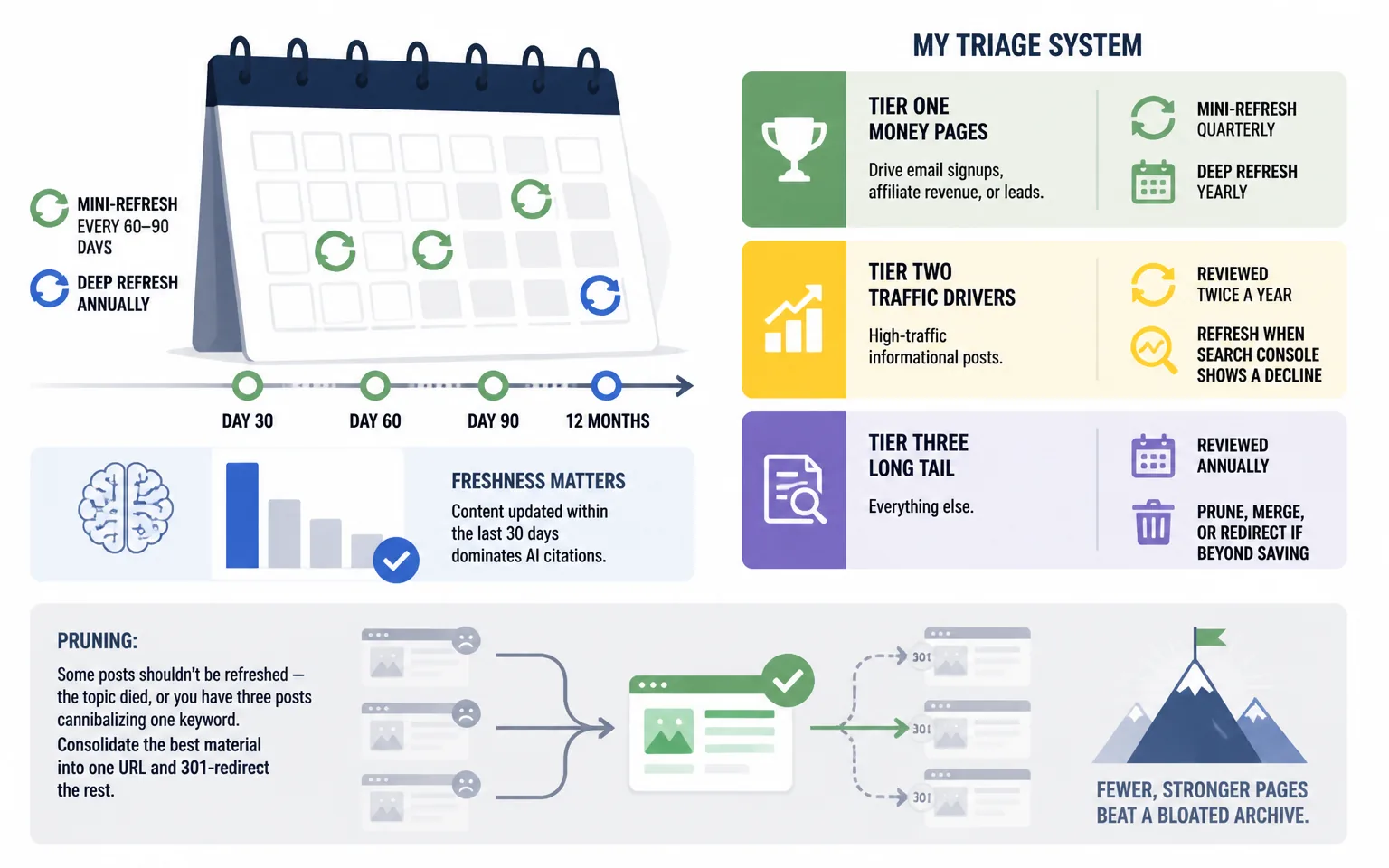
Realistically, nobody can deep-refresh everything. Here’s my triage system:
- Tier one (money pages): posts that drive email signups, affiliate revenue, or leads. Mini-refresh quarterly, deep refresh yearly.
- Tier two (traffic drivers): high-traffic informational posts. Reviewed twice a year, refreshed when Search Console shows a decline.
- Tier three (long tail): everything else. Reviewed annually; pruned, merged, or redirected if beyond saving.
Pruning deserves a mention. Some posts shouldn’t be refreshed — the topic died, or you have three posts cannibalizing one keyword. In those cases I consolidate the best material into one URL and 301-redirect the rest. Fewer, stronger pages beat a bloated archive.
How Fast Do Refreshes Work?
Set expectations correctly or you’ll give up too early. In my experience — and industry data backs this up — meaningful updates typically show measurable impact within two to four weeks in Google’s classic results, though competitive topics take longer. AI engines lag further: studies tracking refresh-to-citation timelines report that ChatGPT visibility lifts take roughly 60 to 120 days, while Google AI Overviews can take 90 to 180 days, because freshness there is layered on top of traditional ranking signals.
The recoveries can be dramatic, though. One documented case study involved a 2022-era post that had lost more than half its traffic; after a thorough refresh it regained its top ranking within 30 days. I’ve had similar wins — my fastest recovery took nineteen days from update to page-one return, and that post now outperforms its previous peak.
One more data point for the skeptics: research analyzing over 35 million AI Overviews found constant citation volatility — the cited URLs and their order change frequently even when the AI answer stays. That volatility is your opening. Every time the citations reshuffle, a freshly updated page has a chance to claim a slot that a stale competitor just lost.
Measuring the Results
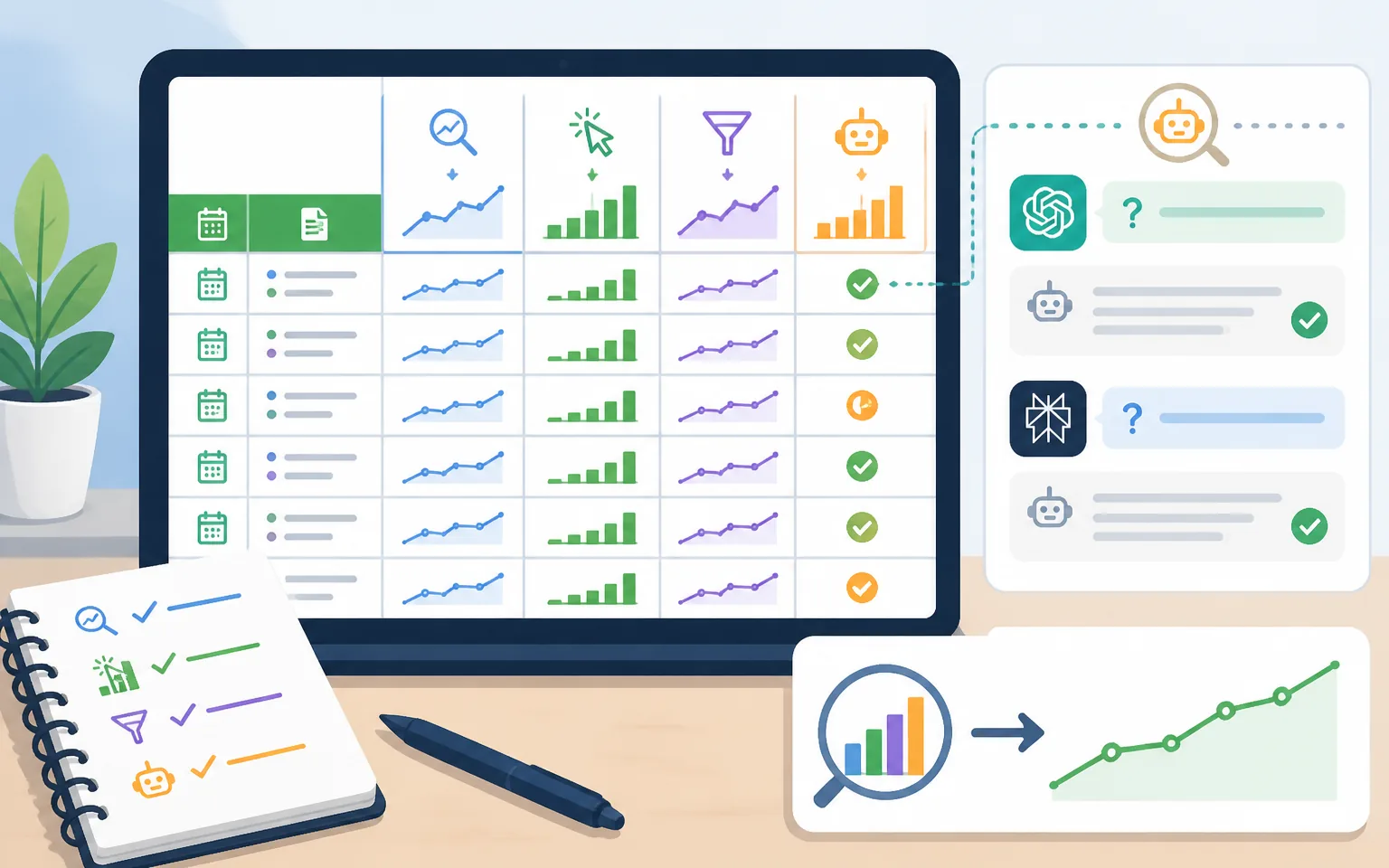
I track four things for every refreshed post, starting from the update date: average position for the primary keyword (Search Console), organic clicks over rolling 28-day windows, click-through rate, and — new for 2026 — AI visibility, which I spot-check by asking ChatGPT and Perplexity the post’s target question and noting whether my site gets cited. I keep it all in a simple spreadsheet with the refresh date, changes made, and outcomes. After a dozen refreshes you’ll see patterns in what works for your niche, and that feedback loop is worth more than any generic best-practices list.
Frequently Asked Questions
Should I change the publish date when I update a post?
Yes — but only when you’ve made substantial changes. WordPress’s modified date is what Google reads, and displaying “Last updated” builds reader trust. Changing the date without real changes is fake freshness, and Google’s systems are specifically designed to ignore it.
Is it better to refresh old content or write new posts?
Both, but refreshing usually wins on ROI. A refresh takes a fraction of the time of a new post and works from an existing foundation of backlinks and topical authority. Recovering a decayed post is typically faster and cheaper than ranking a brand-new URL from zero. My split is roughly 60% refreshing, 40% new content on an established blog.
Can I use AI to refresh my old posts?
Yes, as an assistant — not an autopilot. AI is excellent at gap analysis, outlining missing sections, and drafting FAQ answers. But the judgment calls (what to cut, what your experience adds, which stats to trust) need to stay human. Fully automated refreshes tend to produce the generic content that decays fastest.
How do I know if a post is beyond saving?
If search demand for the topic has collapsed (check Google Trends), if the post targets a keyword another of your pages already ranks for, or if a refresh would mean rewriting more than 80% of it — consolidate or redirect instead of refreshing.
Does refreshing content help with AI Overviews and ChatGPT visibility?
Strongly. Freshness is one of the clearest citation signals in AI search: most-cited pages skew heavily toward recently updated content. Combine a genuine refresh with answer-first formatting and an FAQ section, and you’re optimizing for both Google’s classic results and AI answers at once.
Final Thoughts: Your Archive Is Your Advantage
New bloggers obsess over publishing velocity. Experienced ones know the truth: the fastest traffic you’ll ever gain is the traffic you already earned and quietly lost. Content decay is inevitable — competitors publish, data ages, intent shifts, AI reshuffles the deck every week. But that same churn means the door keeps reopening for whoever shows up with the most current, most complete answer.
Start this week. Open Search Console, run the year-over-year comparison, and pick the one post sitting at position 11 to 15 with declining clicks. Refresh it properly — new data, closed gaps, better snippet, fresh internal links, an FAQ. Then watch what happens over the next month. Once you see your first recovery, you’ll never look at your old posts the same way again.