Best AI Landing Page Builders in 2026: The Tools I Use to Turn Clicks Into Customers

I have built more landing pages than I can honestly count. Pages for affiliate offers, pages for lead magnets, pages for client campaigns that had to convert or the client walked. And here is what a decade of doing this has taught me: the tool you build with matters far less than people think, right up until the moment it matters enormously. In 2026, AI landing page builders have crossed that line. The best of them now write copy, generate layouts, route traffic to winning variants, and personalize headlines while you sleep. The worst of them generate generic pages that look like everyone else’s and convert like a brick.
The stakes are real. According to Unbounce’s conversion benchmark data, the median landing page across all industries converts at just 6.6%, while top-performing pages reach 10% or higher and the very best hit 15 to 20%. That gap between median and great is where your money lives. So in this guide I am going to walk you through the AI landing page builders I actually use and recommend, what each one does best, what they cost, and how to pick the right one for your business without burning a month of trial subscriptions the way I did.
Why AI Landing Page Builders Are Different in 2026
Let me be clear about what has changed, because “AI-powered” has been slapped on marketing software since long before it meant anything. The first wave of AI features in page builders was mostly template suggestions and a paragraph generator bolted onto a drag-and-drop editor. Useful, but cosmetic.
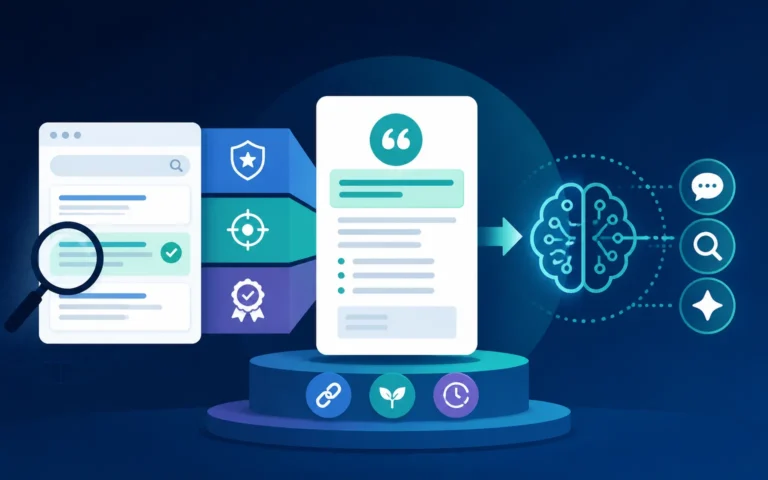
What we have now is different in kind. Modern AI builders handle three jobs that used to require three different specialists. First, generation: describe your offer in a sentence or two and get a structured, on-brand page with copy, sections, and imagery in under a minute. Second, optimization: machine learning models watch how visitors behave and shift traffic toward the variants that convert, without you setting up a formal A/B test. Third, personalization: pages that adapt headlines and offers to match the ad, keyword, or audience segment that brought the visitor there.
That third job is the one I would pay the most attention to. Research compiled by Demand Sage found that 76% of shoppers are frustrated by impersonal interactions, and 96% of consumers say they are more likely to buy when messages are personalized. A landing page is the single easiest place in your funnel to act on that, because you control exactly who arrives and from where.
And the productivity math is hard to argue with. Industry surveys aggregated by Shno report that marketing teams using AI are around 44% more productive and save an average of 11 hours per week. For a solo operator like me, those hours are the difference between shipping one campaign a month and shipping four.
How I Tested and Ranked These Tools
My process is not fancy, but it is honest. For each builder, I created the same test page: a lead-capture page for an email course, with a headline, three benefit sections, social proof, and a single opt-in form. I scored each tool on generation quality (how good was the first AI draft), editing control (how easily could I fix what the AI got wrong), conversion tooling (testing, analytics, traffic routing), integrations (especially email platforms, since that is where my leads go), and price relative to what you actually get.
One caveat before the list: no builder saves a bad offer. AI adoption is nearly universal now — surveys suggest roughly 94% of marketers use AI somewhere in their workflow — yet Shno’s research also notes that 70 to 85% of AI projects still fail to meet expected outcomes. The tools below will get you a competent page fast. Whether that page converts depends on your offer, your traffic, and your follow-up. If you want help with the words themselves, my AI copywriting guide covers the prompting workflow I use for every page I build.
The Best AI Landing Page Builders in 2026
Unbounce: Best for Paid Traffic and Serious Optimization
Unbounce is the tool I reach for when real ad money is on the line. Its signature feature, Smart Traffic, is an AI system that automatically routes each visitor to the page variant most likely to convert for someone like them, based on attributes like device, location, and behavior. Unbounce’s own published data claims an average conversion lift of around 30% for pages using Smart Traffic versus standard A/B testing, and in my experience with affiliate campaigns the lift is real, especially once a page passes a few hundred visits.
The AI page generation is solid, the copy assistant is decent, and the template library leans heavily toward conversion-focused layouts rather than pretty brochures. The catch is price. The Build plan starts at $99 per month ($74 billed annually), and meaningful A/B testing features live on the $149 Experiment tier. Traffic caps apply on every plan. If you are running paid campaigns where a 1% conversion improvement pays the subscription many times over, Unbounce is worth it. If you are validating your first offer, start cheaper.
Leadpages: Best Value for Small Businesses and Creators
Leadpages is what I recommend to most readers of this blog, because most of you are running lean. Pricing starts at $37 per month, which gets you unlimited traffic, AI-assisted copywriting, a genuinely beginner-friendly editor, and conversion-focused templates that have been battle-tested for years. The AI Engine will draft headlines and body copy from a short description of your offer, and the built-in checkout support means you can sell a digital product without stitching together three other tools.
What you give up compared to Unbounce is the sophisticated traffic routing and deeper testing tools. What you gain is simplicity and margin. For lead generation businesses, capturing emails with a lead magnet and nurturing from there, Leadpages hits the sweet spot. If that is your model, pair it with the approach in my guide to AI lead magnets that grow your email list, because the page and the magnet have to be designed together.
Instapage: Best for Personalization at Scale
Instapage is built for teams running many campaigns at once, and its personalization engine is the best I have used. You can create dynamic page experiences matched to specific ads and keywords, so a visitor searching “email software for real estate agents” lands on a page that says exactly that. This ad-to-page matching matters more than most marketers realize: personalization research compiled by ContentMation and others consistently shows AI-driven personalization delivering revenue lifts in the 15 to 25% range, and message match is the landing page version of that principle.
Pricing starts at $99 per month ($79 annual) for the Create plan, with A/B testing arriving at the $199 Optimize tier. That is agency money. If you are managing serious ad spend across many audience segments, Instapage pays for itself. If you are a solo operator, the tools above will serve you better.
Framer: Best for Design-Led Brands
Framer came out of the design world, and it shows. Its AI can generate a complete, modern, animated site or landing page from a text prompt, and then, crucially, hands you fine-grained visual control that no conversion-focused builder matches. Pricing is refreshingly light: there is a free plan, with paid tiers running roughly $10 to $30 per month on annual billing, AI credits included.
The trade-off is that Framer is a design tool first and a conversion tool second. Native A/B testing and CRO features are thinner, and you will lean on integrations for forms, analytics, and email capture. I use Framer when the brand impression is the point, product launches, portfolio-style offers, premium services, and use a dedicated conversion builder when the opt-in rate is the point.
The Rest of the Field
A few others deserve mention. Landingi is a budget-friendly Unbounce alternative with a growing AI feature set. Carrd remains unbeatable for dead-simple one-pagers at a few dollars a month, though its AI capabilities are minimal. And the big all-in-one platforms increasingly bundle AI page generation with email and automation, which can be the right call if you want one bill instead of four. I compared that trade-off in detail in my roundup of the best workflow automation software, because the page builder decision and the automation stack decision are really the same decision wearing different hats.
How to Choose: My Decision Framework
Here is the short version of the advice I give every client. Start with your traffic source, not the feature list. If you are buying traffic, optimization features pay for themselves, so choose Unbounce or Instapage. If you are earning traffic through content and SEO, you need volume and value, so choose Leadpages or Framer and put the savings into content.
Second, respect the mobile numbers. Benchmark data from SEO Sherpa shows the average mobile landing page converts at roughly 2.8% versus 4.8% on desktop, a gap that has persisted for years. Whatever builder you pick, preview and test every page on a phone before it goes live, because for most of my campaigns, 60 to 70% of visitors arrive on mobile.
Third, be honest about ROI expectations. Early AI adopters in marketing report an average of $3.70 in value for every $1 invested according to Shno’s aggregation of industry data, and top performers do far better. But 42% of companies abandoned most of their AI initiatives in 2025, usually because they bought tools before they had a process. Buy the cheapest tool that fits your model, prove the funnel converts, then upgrade when the numbers justify it. That order, not the reverse.
My Workflow for Building a Page That Converts
Tools aside, here is the exact sequence I follow. I start with the traffic source and write down the promise the ad or the search result makes. The headline of the page must repeat that promise almost word for word. Then I let the AI generate a first draft, and I treat that draft as a wireframe, not a finished product. I rewrite the headline myself, cut the AI’s benefit list from six items to three, and replace generic social proof with something specific and verifiable.
Then I strip the page down. One offer, one form, one button. Landing page research compiled by Colorlib has long shown that pages with a single call to action significantly outperform pages with competing links, and my own numbers agree: every navigation link you leave on a landing page is a small leak in the boat. Finally, I connect the form to my email platform and make sure the first automated email arrives within a minute of signup, because the moment of opt-in is the moment of maximum attention.
Frequently Asked Questions
Are AI-generated landing pages good enough to use without editing?
As a starting point, yes; as a finished product, rarely. The AI drafts get you 70% of the way in five minutes, which is a massive time saving. But the last 30%, sharpening the headline, matching the page to your traffic source, adding real proof, is where conversions come from, and that part is still on you.
What is a good conversion rate for my landing page?
Context matters enormously, but as a rule of thumb: if you are below the 6.6% median Unbounce reports, treat optimization as urgent. Between 7 and 10%, you are doing well. Above 10%, you are in the top tier, and your energy is better spent on traffic than on further page tweaks.
Which builder is best for affiliate marketing?
For paid-traffic affiliate campaigns, Unbounce, because Smart Traffic squeezes more out of every click you pay for. For content-driven affiliate sites capturing emails, Leadpages, because unlimited traffic at $37 per month protects your margins.
Can I just use my WordPress theme’s page builder instead?
You can, and for organic traffic it often works fine. But dedicated builders earn their keep on speed, testing, and templates informed by millions of conversions. My compromise: run your blog on WordPress and your campaign pages on a dedicated builder, connected by your email platform.
Will AI personalization work with a small traffic volume?
Features like Smart Traffic need a few hundred visitors to learn meaningful patterns. Below roughly 500 visits per month per page, skip algorithmic optimization and focus on message match, one clear offer, and fast load times. Those fundamentals do not need a training dataset.
The Bottom Line
If I had to hand you a one-line answer: buy Leadpages if you are lean, Unbounce if you are buying traffic, Instapage if you are scaling a team, and Framer if design is your brand. All four will generate a competent page in minutes; none of them will save an offer nobody wants.
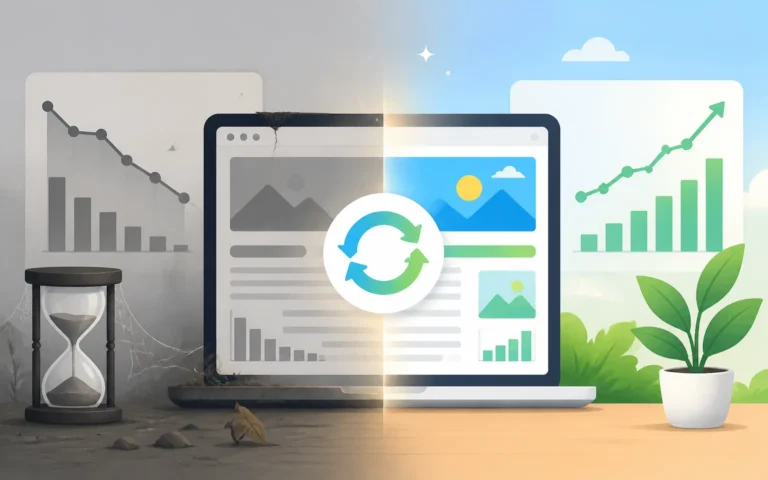
The real advantage of AI builders in 2026 is not that they build pages, it is that they collapse the cost of iteration. When a new variant takes five minutes instead of five hours, you test more, learn faster, and compound small wins into a conversion rate that sits in that top tier instead of at the median. That compounding, not any single feature, is what you are actually paying for. Pick one tool, publish one page this week, and start iterating. The median is crowded; the top 10% is not.