FlutterFlow: Leading the Way in 2026 App Development Trends

FlutterFlow is a no-code, low-code app development platform that lets you build fully functional, cross-platform mobile and web apps visually, without writing code from scratch. Using a drag-and-drop interface, pre-built components, real-time collaboration, and one-click deployment to the App Store and Google Play, it lets anyone, from beginners to seasoned developers, ship production-ready apps in a fraction of the usual time.
Imagine developing a visually stunning, fully functional mobile app without writing a single line of code. Sounds too good to be true? With FlutterFlow, that dream becomes reality. In this guide you will discover what you can build with FlutterFlow and the top strategies for streamlining your app development. From utilizing pre-built components to collaborating with team members in real time, we will explore the best ways to optimize your app development process.
Key Takeaways
- Use FlutterFlow’s library of pre-built components and responsive design tools to streamline app development.
- Collaborate with team members using real-time collaboration features, and integrate third-party APIs for advanced functionality.
- Follow a rigorous testing process when deploying your app to the App Store or Google Play.
Exploring FlutterFlow but not sure where to start? Read our guide on how to choose the best low-code platform for your next project and weigh factors like scalability, integration capabilities, and ease of use so the tool aligns with your project’s specific requirements and objectives.
What Can You Build with FlutterFlow?
With FlutterFlow you can build almost any cross-platform app, including social media apps, e-commerce platforms, educational tools, and fitness and wellness applications, all without the steep learning curve of traditional development. Gone are the days when mobile app development was a daunting and time-consuming task reserved for seasoned developers.
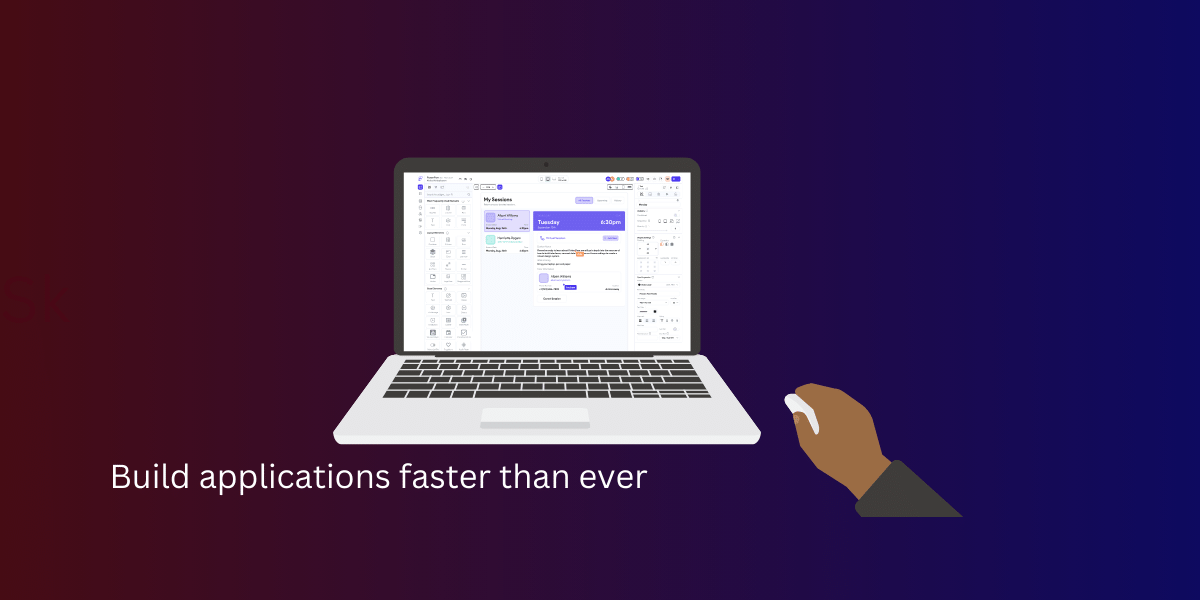
FlutterFlow allows for creating incredible cross-platform applications, bypassing the steep learning curve typically associated with traditional app development methods. Some examples of applications you can create with FlutterFlow include:
- Social media apps
- E-commerce platforms
- Educational tools
- Fitness and wellness applications
With just a few clicks, the possibilities are virtually endless.
FlutterFlow does not just simplify the development process; it also equips you with an extensive library of pre-built components and powerful data-handling capabilities. This intuitive drag-and-drop interface lets you easily design your app’s interface and functionality while ensuring cross-platform compatibility. Whether you are a novice or a seasoned developer, FlutterFlow revolutionizes the app development landscape.
Social Media Apps
FlutterFlow makes building feature-rich social media apps a breeze, with pre-built components like list items, drag-and-drop cards, and user-profile development that bring your vision to life more easily. One of the most popular app categories is social media, where user experience and seamless interactions are crucial for success, and creating apps that cater to a constantly connected audience is straightforward here.
Moreover, FlutterFlow provides essential integrations for social media apps, including:
- Content sharing
- Messaging
- Personalized feeds
- Push notifications
With these powerful app development platforms at your disposal, your mobile and web application development journey will be smooth and efficient, allowing you to focus on creating engaging user experiences for mobile and web apps and fostering meaningful connections.
E-Commerce Apps
FlutterFlow makes building e-commerce apps straightforward with customizable design, responsive layout tools, and simple payment integration. In today’s fast-paced digital world, online shopping has become the norm, and e-commerce apps play a vital role in providing consumers with a seamless and enjoyable shopping experience.
With FlutterFlow’s extensive library of pre-built components, you can create visually appealing and user-friendly e-commerce apps catering to mobile and web users. The platform offers seamless integration with popular payment gateways, such as Stripe and PayPal, ensuring a smooth and secure checkout process for your customers. By leveraging FlutterFlow’s e-commerce app development capabilities, you can create an app that stands out in the competitive online marketplace.
Educational Apps
FlutterFlow’s visual interface and pre-built components make creating interactive and engaging educational apps tailored to diverse learning needs easy. The demand for educational apps is on the rise, with more and more people turning to digital platforms for learning and skill development.
Whether you aim to develop a language learning app, a math tutor, or a platform for online courses, FlutterFlow offers the tools and flexibility required to create a tailored learning experience. Here are some ways you can optimize your educational app development process:
- Implement responsive design to ensure your app works seamlessly across different devices.
- Collaborate with your team using FlutterFlow’s collaborative features, allowing for efficient teamwork and faster development.
- Integrate third-party APIs and services to enhance the functionality of your app and provide additional features to your users.
By following these steps, you can deliver a high-quality educational app that truly makes a difference in the lives of learners.
Fitness and Wellness Apps
FlutterFlow provides the features and integrations needed to build customized fitness and wellness apps that cater to individual needs and preferences. With the growing health and wellness awareness, fitness apps have become increasingly popular, offering personalized workout routines, nutrition tracking, and progress monitoring.
From workout planners and calorie trackers to meditation guides and sleep monitors, FlutterFlow enables you to create apps that empower users to take control of their health and well-being. By leveraging pre-built components, custom widgets, and seamless third-party integrations, you can develop an app that offers:
- A visually appealing design
- A user-friendly experience
- Seamless integration with other health and wellness tools
- Features that promote user engagement
With FlutterFlow, you have the power to create an app that not only looks great but also delivers a comprehensive and satisfying user experience.
Top Strategies for Streamlining App Development with FlutterFlow
The fastest way to streamline development with FlutterFlow is to combine four practices: reuse pre-built components, implement responsive design, collaborate in real time, and integrate third-party APIs. Now that you know the diverse applications you can create with FlutterFlow, let’s delve into these top strategies for streamlining your app development process. With the right approach, you can save time and effort while ensuring the delivery of a high-quality, fully functional app.
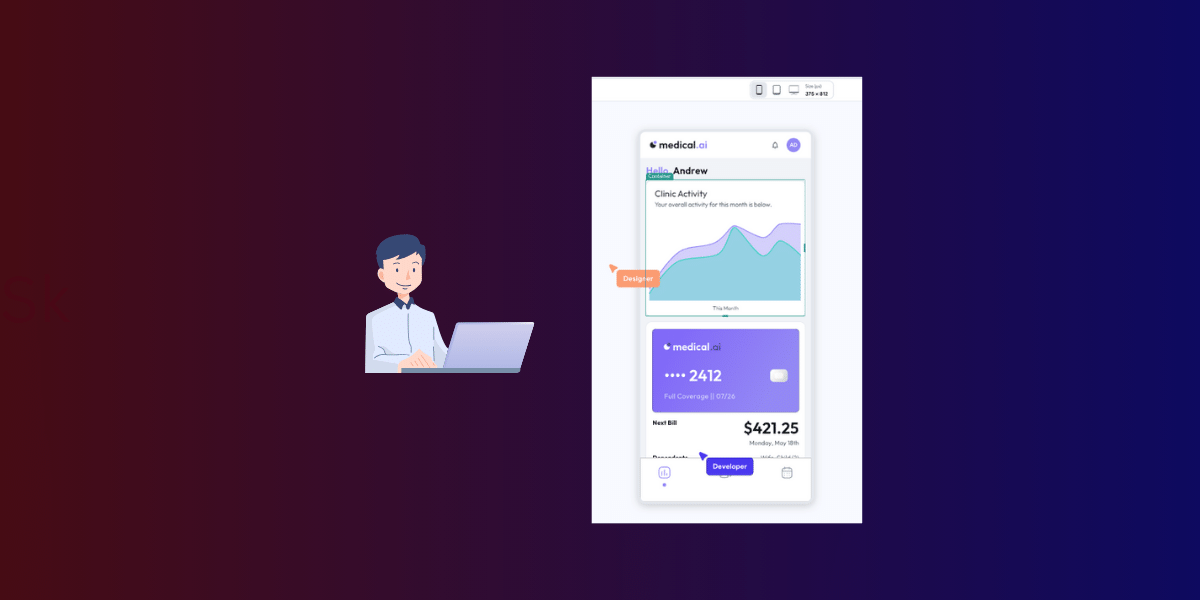
From utilizing pre-built components and implementing responsive design to collaborating with team members and integrating third-party APIs, these strategies will help you make the most of FlutterFlow’s powerful features and capabilities. By embracing these best practices, you will be well on your way to creating an app that stands out in the ever-growing app marketplace.
Utilizing Pre-Built Components
One of the key advantages of using FlutterFlow is its extensive library of pre-built components, such as:
- Buttons
- Text fields
- Sliders
- Dropdown menus
- Image placeholders
- Navigation bars
These components save you valuable time compared to traditional app development methods, where you must create each element from scratch. By leveraging FlutterFlow’s pre-built components, you can:
- Focus on refining your app’s design and functionality rather than getting bogged down in writing custom code
- Speed up the development process
- Ensure a consistent and polished look across your app
With FlutterFlow, you can create visually stunning apps that offer a seamless user experience without writing a single line of code.
Implementing Responsive Design
In today’s multi-device world, your app must look and function flawlessly on all screen sizes and orientations. With FlutterFlow’s responsive design tools, you can ensure that your app provides a consistent and user-friendly experience across all devices.
By implementing responsive design, you cater to a broader audience and future-proof your app for new devices and screen resolutions. FlutterFlow’s intuitive interface makes it easy to create layouts that adapt to different screen sizes and orientations, ensuring a seamless user experience no matter where your app is used. With responsive design at the core of your app development process, you can create an app that stands out in the crowded marketplace.
Collaborating with Team Members
App development is often a team effort, requiring collaboration between designers, developers, and project managers. FlutterFlow’s real-time collaboration feature allows you and your team to:
- Work together on the same project simultaneously
- Share ideas
- Provide feedback
- Iterate on designs
Understanding the app’s interface makes the app development process more efficient and streamlined. By working together in real time, your team can streamline the development process, reduce miscommunication, and ensure everyone is on the same page. In addition, FlutterFlow’s commenting functionality enables team members to provide feedback directly within the platform, fostering a collaborative environment and speeding up the development process.
Integrating Third-Party APIs and Services
Integrating third-party APIs and services into your app can greatly enhance its functionality and offer additional features that would be difficult or time-consuming to develop from scratch. FlutterFlow supports third-party integrations, such as Algolia for search, Braintree/PayPal for payments, and Google AdMob for in-app advertisements.
Incorporating these APIs and services into your app can expand its capabilities and provide a more comprehensive user experience. Some examples of APIs and services you can integrate include:
- Connecting to live data
- Implementing robust search capabilities
- Seamless payment processing
- Monetization through ads
Integrating third-party APIs and services can take your web apps to the next level by providing advanced functionality.
For an in-depth understanding of low-code app development and the secrets behind its power for effortless app building, delve into our guide on what low code is and how it powers effortless app building.
Enhancing App Functionality with Custom Code
When FlutterFlow’s pre-built components and integrations are not enough, you can add custom code to your app for advanced features or functionality. While the platform offers a wealth of functionality out of the box, there are times when you need to go further, and FlutterFlow makes that possible without compromising the streamlined development process.
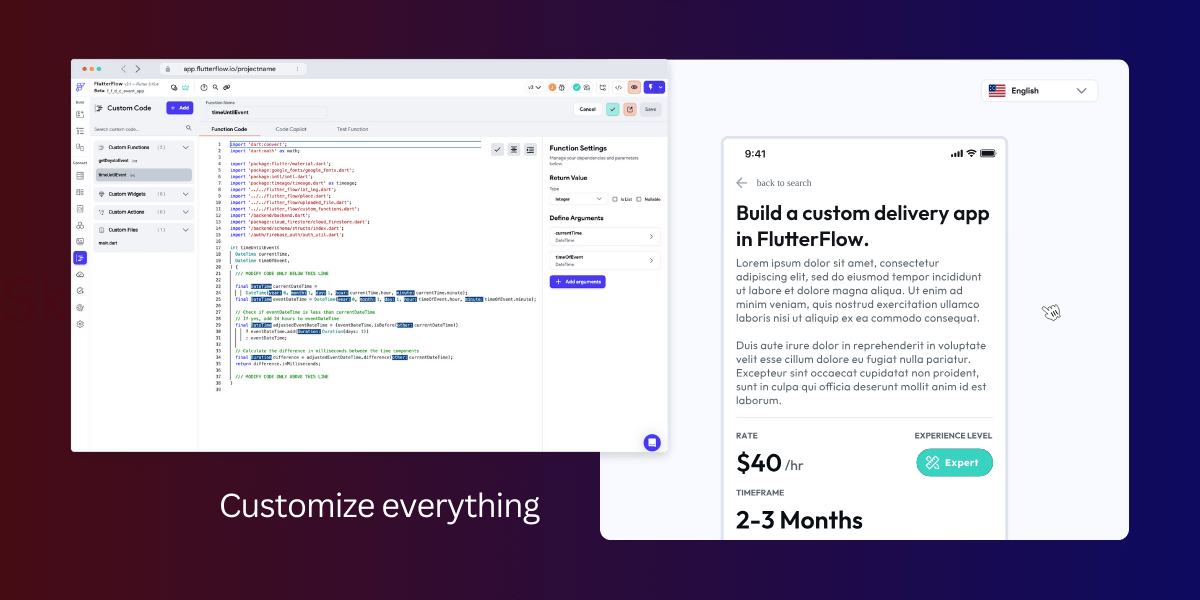
Thankfully, FlutterFlow supports the addition of custom functions and custom widgets, allowing you to further enhance your app. This section details how to incorporate custom code into your FlutterFlow app, whether through:
- Writing your own code
- Utilizing existing widgets and functions within the platform
- Utilizing existing widgets and functions from the FlutterFlow community
Adding Custom Functions
Custom functions allow you to incorporate advanced features and functionality into your app without modifying the core codebase. Writing custom functions using Dart code allows you to add unique features and capabilities that set your app apart.
With custom functions, you can create tailored user experiences, automate complex tasks, or even integrate with external APIs and services not natively supported by FlutterFlow. Adding custom functions to your app can unlock its full potential and make it your own.
Integrating Custom Widgets
Custom widgets provide another avenue for enhancing your app’s functionality and user experience. Whether using your own code or cloning a project from the FlutterFlow community, integrating custom widgets into your app can bring additional features and capabilities that may not be available with the platform’s pre-built components.
By incorporating custom widgets, you can further personalize your app and provide users with a unique experience tailored to their needs. Some examples of custom widgets you can integrate into your FlutterFlow app include:
- Advanced data visualization tools
- Custom-designed UI components
- Interactive charts and graphs
- Custom navigation menus
- Animated buttons and icons
The possibilities are endless for integrating custom widgets into your FlutterFlow app.
Tips for Effective App Testing and Debugging
App testing and debugging are crucial aspects of the development process, ensuring your app performs as expected while providing a seamless user experience. Identifying and addressing issues or bugs in your app before deployment can help prevent negative reviews and improve user satisfaction.
This section provides effective tips for app testing and debugging, touching on FlutterFlow’s real-time preview feature and the importance of a rigorous testing process to ensure your app’s quality and performance.
Utilizing Real-Time Preview
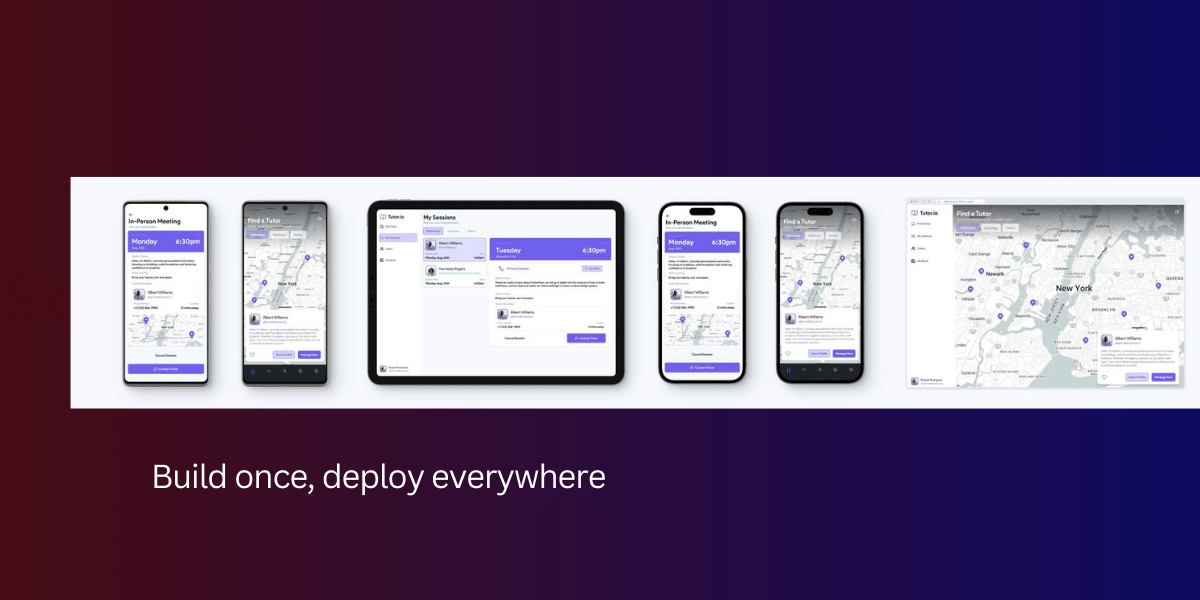
One of the most powerful key features of FlutterFlow is its real-time preview, allowing you to see changes to your app instantly as you make them. This enables you to identify potential issues early in the development process, making it easier to address them before they become bigger problems. By utilizing FlutterFlow’s real-time preview, you can:
- Iterate and refine your app’s design and functionality without having to wait for lengthy build times
- Speed up the development process
- Ensure that your app looks and performs flawlessly across all devices and platforms
Implementing a Rigorous Testing Process
A rigorous testing process is essential to guarantee the quality and performance of your app. This involves employing various testing methods, such as unit, integration, and regression testing, to detect and rectify any issues arising during development.
By implementing a rigorous testing process, you can:
- Reduce the likelihood of negative reviews
- Improve user satisfaction
- Gain valuable insights into how your app performs in different scenarios
- Make informed decisions about design and functionality changes to better meet the needs of your users
Thorough testing is essential for the success of your app.
Deploying and Publishing Your FlutterFlow App
Once you have completed the development and testing of your app, it is time to deploy and publish it on the app stores. Successfully deploying and publishing your app is a critical step in reaching your target audience and achieving your app’s goals.
This section covers preparing your app for deployment and submitting it to Google Play and the App Store to ensure a smooth and successful submission process.
Preparing for Deployment
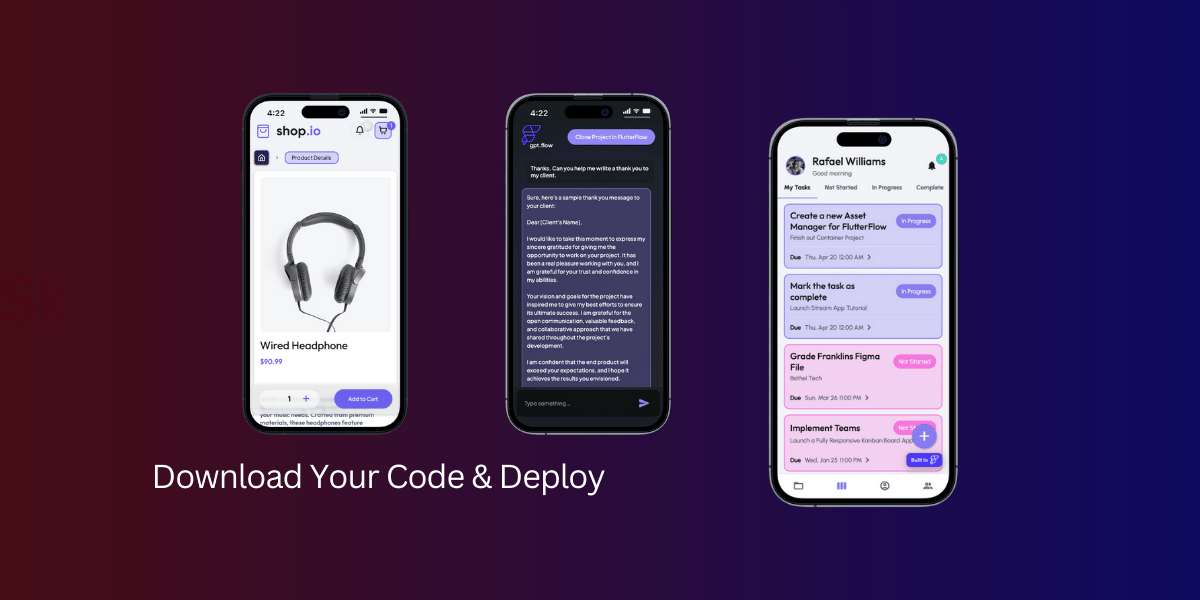
Before deploying your app, you will need to:
- Generate the code for your app using the FlutterFlow CLI
- Execute the build command to create the necessary app files
- Ensure compliance with app store guidelines
With FlutterFlow, you can easily complete these steps and get your app ready for deployment. Ensuring that your app meets the guidelines and requirements set by the app stores is critical for a successful submission. This may involve:
- Providing a valid app icon
- Supplying an app manifest
- Generating an app bundle
- Adhering to specific design and functionality requirements
Submitting to App Stores
Once your app is prepared for deployment, it is time to submit it to Google Play and the App Store. Each platform has specific requirements and guidelines for a successful submission, and familiarizing yourself with these guidelines will help ensure a smooth and efficient submission process.
After you have submitted your app, it will undergo a review process before being made available for download by users. By following the steps outlined in this guide and adhering to the guidelines set by the app stores, you can increase the likelihood of a successful submission and get your app into the hands of your target audience.
Frequently Asked Questions
What can you build with FlutterFlow? With FlutterFlow you can build powerful, interactive cross-platform apps, including social media, e-commerce, educational, and fitness apps, with Firebase integration, API support, animations, localization, push notifications, and payments. You can also customize and extend the existing functionality with Dart.
Can you build web apps with FlutterFlow? Yes. FlutterFlow is a low-code platform built on Google’s Flutter framework, so you can quickly create high-quality mobile and web applications and even ship existing mobile apps as web apps, with free hosting and custom subdomains available for all users.
Why should you use Flutter for app development? Flutter enables developers to create a single codebase for multiple web, desktop, and mobile platforms. It reduces development time significantly, lowers costs, and allows for a quicker app launch. Moreover, Flutter has a flexible and user-friendly UI that makes designing fast and easy.
Can I use custom code in my FlutterFlow app? Yes. You can use custom code in your FlutterFlow app by adding custom functions written in Dart and by integrating custom widgets, either your own or ones cloned from the FlutterFlow community.
How can I effectively test and debug my app using FlutterFlow? To effectively test and debug your app, use FlutterFlow’s real-time preview to catch issues as you build, and establish a rigorous testing process, including unit, integration, and regression testing, to guarantee quality and performance.
Is FlutterFlow free to use? FlutterFlow offers a free plan for getting started, along with paid plans that unlock advanced features such as code export, custom domains, and additional integrations. Many users build and test their first apps on the free tier before upgrading.
Summary
In conclusion, FlutterFlow offers a powerful and versatile platform for streamlining app development, enabling you to create a wide range of applications easily. By leveraging its pre-built components, responsive design tools, collaboration features, and third-party integrations, plus custom code when you need it, you can build apps that stand out in the crowded marketplace and deliver a seamless user experience. With the strategies and tips discussed in this guide, you are on your way to creating your first successful FlutterFlow app. So, why wait? Start your app development journey with FlutterFlow today!
If you want to know why no code is not always a bad idea, explore the benefits of low code and no code in app development with our article.