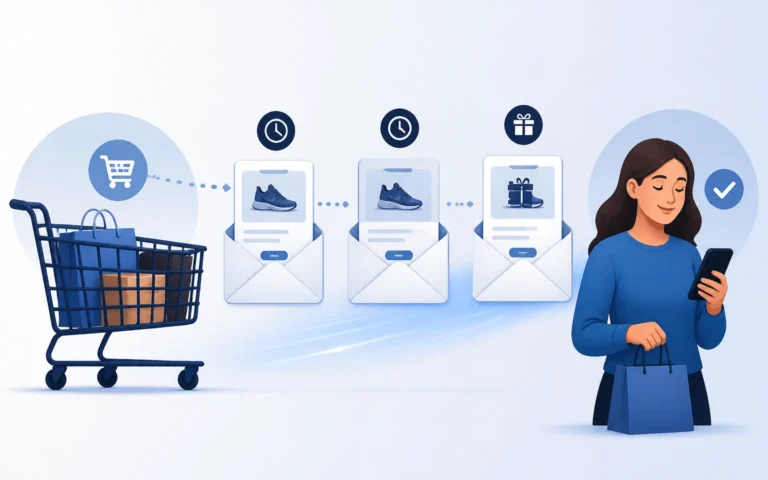
Boost Email Engagement With Images & Video

To boost email engagement using images and videos, add relevant, high-quality visuals that are optimized for fast loading, use descriptive alt text and linked images, embed videos with a thumbnail and play button, and track open, click-through, completion, and bounce rates to keep improving. Visual content captures attention in a crowded inbox, makes your message more memorable, and reliably lifts click-through and conversion rates when used the right way.
Before you design anything, know where it will actually be opened. Litmus’ email client market share tracking has shown Apple Mail across iPhone, Mac and iPad accounting for well over half of all email opens, and different clients render images, background graphics and animation very differently. A video treatment that looks brilliant in one client can arrive as a blank rectangle in another.
Boosting email engagement is like fueling a fire – it ignites excitement and captures attention. But how do you keep that flame burning? You can elevate your email marketing strategy by incorporating images, videos, and dynamic content. This guide explores exactly how to use images and videos to capture your audience, so you can transform your email campaigns and leave a lasting impression on your subscribers.
Key Takeaways
- Visual content is key for email engagement.
- Follow best practices for images and videos.
- Analyze performance to create better visuals.

How Do Images Increase Email Engagement?
Images increase email engagement by grabbing your subscribers’ attention and making your emails more visually appealing. Incorporating images is one of the simplest, most reliable ways to lift open and click-through rates – when you do it well.

Best Practices for Incorporating Images
There are a few best practices to follow when incorporating images in your emails. First, when selecting images for your message, choose ones that are relevant, high-quality, and visually appealing. Second, optimize your images for faster load time so your recipients don’t have to wait long for your email to load. Lastly, include alt text and link your images to provide a seamless user experience and increase engagement.
Choose Relevant, High-Quality Images
Choosing relevant, high-quality images is crucial for capturing the attention and interest of your recipients. Incorporating visually appealing content in your email marketing campaigns can significantly boost engagement rates and improve the overall effectiveness of your campaign.
High-quality images convey your message more effectively and leave a lasting impression on your audience. Utilizing visual content such as images and videos aligns with the growing trend of video marketing and can help you stand out in a crowded inbox.
Optimize Images for Load Time
Optimizing images for fast load time is essential to ensuring optimal email engagement. When using video thumbnails or video content in your emails, compress the images to reduce file size without compromising quality.
By doing this, you provide an engaging experience for your target audience without causing frustration due to slow loading times. This improves email engagement and increases click-through rates, as your audience is more likely to interact with the content. Don’t forget to consider the different platforms and devices where your emails may be viewed, and optimize images accordingly.
Use Alt Text and Link Your Images
Boost email engagement by effectively using alt text and linking images in your emails. Alt text is essential because it describes the image for recipients who may have images disabled or are visually impaired. Including relevant keywords in your alt text can also improve email deliverability.
By linking images, you can direct recipients to a specific landing page or video, enhancing their engagement with your content. These simple practices can significantly boost your email engagement and drive better results. If deliverability is a recurring concern, our guide on overcoming common email delivery issues walks through proven fixes.
The Benefits of Using Images in Emails
Using visually appealing images in your email content can significantly enhance engagement with your audience. Incorporating videos or video thumbnails in your campaigns can make your content even more dynamic and engaging.
Visual elements catch your readers’ attention and make your emails more appealing, increasing their chances of being opened and read. Including customer testimonials in image form can also help build trust and credibility with your audience.
When your emails contain captivating images, they create a more memorable experience for your subscribers, leading to increased engagement and higher engagement rates.
How Do You Use Videos to Boost Email Engagement?
You boost email engagement with video by embedding a thumbnail and play button to entice clicks, keeping file sizes small, and hosting the videos for better control and tracking. Video is a powerful way to capture your audience’s attention and take engagement to the next level.

In this section, we’ll give you tips on how to add videos to your emails and discuss the advantages of incorporating video into email marketing.
Tips for Adding Videos to Emails
Incorporating videos – including in your welcome emails – can be a game-changer for engagement. To make the most impact, use a thumbnail and play button to entice recipients to click. Remember to keep file sizes small and host the videos for better control and tracking.
Use a Thumbnail and Play Button
Consider incorporating a thumbnail and play button to enhance email engagement through video. Including a video’s thumbnail and a play button creates visual appeal and encourages recipients to click and watch.
Many email clients now support video in your email, making it easier than ever to incorporate video content. Keep the videos short and engaging to increase engagement rates. The thumbnail serves as a preview, enticing recipients to click and watch the full video.
Keep File Size Small
To optimize email engagement, it’s important to keep video file sizes small. Large files can trigger spam filters and slow down email delivery. Reducing the file size ensures that your video content reaches your audience effectively.
This is especially crucial in digital marketing, where customer loyalty is built through engaging content. Additionally, smaller file sizes allow for faster loading times on landing pages, keeping your audience engaged and preventing them from bouncing away.
The Advantages of Video Email Marketing
Why are videos such a powerful tool for boosting email engagement? Incorporating videos into your email marketing campaigns can increase engagement rates and conversions.
- Videos are visually engaging and can capture your audience’s attention in a way that images and plain text alone cannot.
- Using videos can convey your message more effectively, making it easier for your audience to understand and remember your content.
- Videos let you showcase your products or services in action, giving subscribers a better understanding of your offer.
- Videos can evoke emotions and create a personal connection with your audience, increasing the likelihood of them taking action.
How Do You Create Compelling Visual Content?
You create compelling visual content by making eye-catching images and videos that use vibrant colors, interesting typography, and captivating visuals to grab readers’ attention and keep them engaged. Consider incorporating storytelling techniques or showcasing your products in action to make your visual content even more compelling.

How to Make Eye-Catching Images and Videos
To make eye-catching images and videos for your email campaigns, keep it simple yet visually appealing. Focus on creating high-quality content that captures the attention of your audience. Tailor your visuals to match the preferences and interests of customers in your target demographic. Additionally, leverage analytics to gain insights into what types of visuals resonate with your subscribers, so you can refine your visual content strategy and boost email engagement.
Focus on Simplicity and Quality
Creating eye-catching images and videos that focus on simplicity and quality can significantly boost email engagement. Incorporating visually appealing content in your campaigns can increase engagement and improve email metrics such as open and click-through rates.
Using images and videos effectively captures your audience’s attention and conveys your brand message in a captivating way. This can lead to higher conversion rates and a stronger connection with your audience.
Tailor to Your Audience
Creating visually compelling content that resonates with your audience is essential to capturing their attention. Tailoring your email content to your audience’s preferences will boost engagement. Use images and videos that are relevant to their interests and communicate your message effectively.
Incorporate dynamic content that grabs their attention and keeps them engaged. By customizing your content to your audience, you can boost email engagement and drive better results. For a wider view of tactics that move the needle, see our guide to improving your email marketing strategy with proven tactics.
Leverage Analytics for Insights
Leveraging analytics can provide valuable insights for creating eye-catching images and videos in your email content. By analyzing email engagement data, you can understand which types of visual content resonate with your audience and drive higher engagement.
Look for patterns and trends in the data to identify the most popular images and videos. This information will inform your content creation strategy and boost your sales and email engagement. Don’t underestimate the power of analytics in gaining insights that can enhance the effectiveness of your visual content.
How Do You Track and Measure the Impact of Visuals?
You track the impact of email visuals by analyzing metrics such as click-through and conversion rates, then running A/B tests to experiment with different visuals and determine which resonate best with your audience. These two practices together tell you what’s working and what to change.
One caveat before you judge any visual test by open rate: you cannot. As Litmus documented when Apple launched Mail Privacy Protection, MPP pre-loads tracking pixels and registers an open whether or not a human ever looked at the message — and it has accounted for more than half of all recorded opens since 2022. Judge images and video on clicks, conversions and revenue per recipient instead.

Metrics to Analyze Visual Content Performance
Several key metrics must be considered when analyzing visual content performance in your emails. First, open and click-through rates can provide insights into how engaging your visuals are to your recipients. Second, video completion rates can indicate your audience’s interest and attention toward the visual content. Lastly, bounce rates can help you identify any issues with the visual elements that may be causing recipients to leave the email without engaging. Monitoring these metrics will allow you to track and measure the impact of visuals in your campaigns.
Open and Click-Through Rates
Analyzing open and click-through rates is imperative to effectively tracking and measuring the impact of visuals in email content. Incorporating images, videos, and dynamic content can boost email engagement.
Open rates indicate how many recipients opened your email, while click-through rates measure how many recipients clicked on links within your email. Monitoring these metrics allows you to gauge the effectiveness of your visual content and make necessary adjustments to enhance engagement.
Completion Rates for Videos
By tracking completion rates for videos in your email content, you can further analyze the impact of visuals and optimize email engagement. Completion rates provide valuable insights into how effectively your videos capture and retain your audience’s attention.
By analyzing these rates, you can identify which videos resonate with your subscribers and adjust your email content strategy accordingly. This data allows you to create more contextually relevant and engaging videos, ultimately boosting email engagement.
Bounce Rates
Are your visuals effectively capturing and retaining your audience’s attention, or causing high email bounce rates? Bounce rates refer to the percentage of emails not successfully delivered to recipients’ inboxes.
Email visuals that aren’t optimized or that load slowly can contribute to high bounce rates. This can lead to emails being flagged as spam or sent to the recipient’s spam folder, impacting email deliverability and open rates. To avoid this, ensure your visuals are engaging, load quickly, and don’t overwhelm a crowded inbox.
Use A/B Testing to Optimize Visual Content
Optimize the impact of visuals in your emails by using A/B testing to track and measure their effectiveness. A/B testing allows you to compare different versions of your emails and determine which visual elements resonate best with your audience.
Start by testing different subject lines to see which ones generate higher open rates. Then, test visuals in your welcome emails, social media promotions, and other marketing communications. Measure the impact of each visual component on conversions and engagement, then analyze the results to identify which visuals attract potential customers and effectively convey your main message. For more structured testing routines, our roundup of best practices for email campaign success is a useful companion.
Frequently Asked Questions
How can I optimize my images for email so they load quickly and display across different email clients? Reduce their dimensions to what’s actually needed, use the correct file format (JPEG or PNG), and compress them. This keeps file sizes small so images load quickly and remain visible across different email clients.
Are there specific file formats recommended for including images in emails? Yes. Using formats like JPEG, PNG, and GIF ensures your images are supported across different email clients and helps boost engagement, since each format handles photos, graphics, and simple animation well.
Can I use animated GIFs in my emails to increase engagement? Yes, animated GIFs can increase engagement. To use them effectively, watch their file size, make sure they load quickly, and use them sparingly so you don’t overwhelm your recipients.
What are some tips for creating videos that grab the attention of email recipients? Keep them short, use eye-catching visuals, and include a compelling call-to-action. A well-crafted video, presented with a clear thumbnail and play button, can significantly boost engagement with your email content.
How can I track the click-through rates and overall effectiveness of visual content in my emails? Use your email platform’s analytics tools. They track click-through rates and show how recipients engage with your images, videos, and dynamic content, so you can measure overall effectiveness and refine your strategy.
Should I use both images and videos in the same email? Yes, when it serves the message. Pairing a strong hero image with a short video (shown as a thumbnail and play button) gives recipients quick visual appeal plus deeper, more memorable content – just keep total file sizes small so the email loads fast.
Conclusion
Incorporating visuals such as images, videos, and dynamic content can greatly enhance email engagement. By appealing to the visual senses, you can captivate your audience and make your written content even more memorable. Whether you use striking images, engaging videos, or personalized dynamic content, these visual elements effectively convey your message and drive higher interaction rates.
Additionally, tracking and measuring the impact of visuals helps you optimize your email campaigns and overall marketing strategy for better results. To build on these visual tactics with the right tooling, explore our guide to the best email marketing practices and tools. Don’t hesitate to leverage the power of visuals in your emails to boost engagement.