Web Hosting Explained: The Ultimate 2026 Guide

Web hosting is a service that stores your website’s files on a server and makes them accessible to anyone on the internet. When someone types your web address into a browser, the host’s server delivers your site to their screen. Choosing the right type of hosting and provider directly shapes your site’s speed, reliability, security, and ability to grow.

As we move through 2026, understanding web hosting can feel like a maze of choices and technical jargon. The options range from shared hosting to cloud services, and the decision can be overwhelming, especially for anyone new to building an online presence for a personal project or business.
This guide breaks web hosting down into plain language. You’ll get clear explanations of the main hosting types, including shared, VPS, dedicated, and cloud, plus practical advice on selecting the right provider, the features that matter, realistic budgeting, and when free hosting makes sense. Whether you manage one website or several, you’ll come away ready to confidently choose a hosting service that fits your online goals. If you want a parallel walkthrough, see our comprehensive web hosting guide for beginners.
Key Takeaways
- Tailored hosting choices: Match the hosting type to your site’s purpose, whether it’s a personal blog, a growing e-commerce store, or a small business site.
- Provider evaluation: Look for reliability, speed, support, and scalability so a host meets both your current needs and future expansion.
- Feature focus: Prioritize essentials like security, uptime, and customer support, then weigh advanced features for stronger performance.
- Budgeting wisely: Balance your hosting needs against a realistic budget, remembering the cheapest option is rarely the best value long term.
- Growth planning: Choose a host that can scale resources as your traffic and content grow.
1. What Is Web Hosting?

The Basics of Web Hosting
Web hosting is the backbone of any website. It’s a service provided by hosting companies that lets individuals and organizations make their websites accessible online. Think of it as renting space on a web server where your website’s files and data are stored.
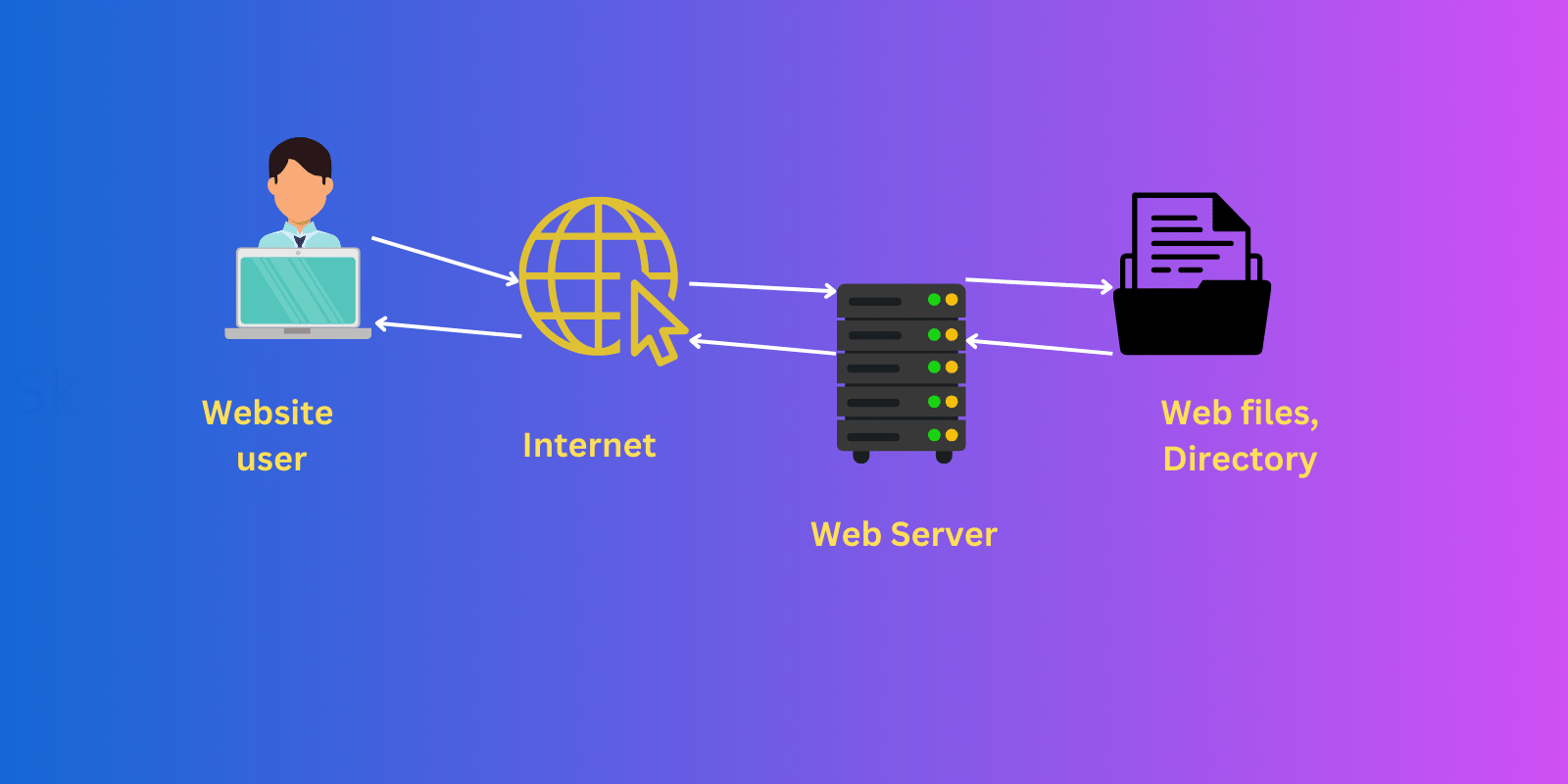
Whenever someone types your web address into their browser, the internet connects to the server holding your website files, and your site appears on their screen.
Understanding Web Hosts and Hosting Services
A web host is more than just storage space for your website. It’s a caretaker that keeps your site online and running smoothly. Hosting services vary widely, from shared hosting, where your site lives on a server alongside other sites, to dedicated hosting, where you control an entire server.
Each type caters to different needs, depending on your website’s size, traffic, and technical requirements. The right hosting service keeps your site fast, secure, and consistently accessible to your audience.
2. How Does Web Hosting Work?
The Technical Side of Web Hosting
Web hosting works through a network of physical servers, powerful computers that store and process website data. When you sign up for a hosting plan, your website’s files, including HTML, images, and videos, are stored on these servers.
The server then delivers your website to users over the internet when they enter your domain name in their browsers. Web server software manages access to your site’s files, ensuring they reach visitors promptly and securely.
How Hosting Affects Your Website
Your choice of hosting has a significant impact on your website’s performance. A good provider ensures high uptime, meaning your site is reliably available to visitors. Hosting also affects website speed, a critical factor for both user experience and SEO rankings. Shared hosting can be more cost-effective for smaller sites but may slow down under heavy traffic.
By contrast, dedicated or VPS hosting offers more resources, leading to faster load times and better handling of high visitor volumes. The right hosting aligns with your site’s needs, balancing speed, reliability, and cost. Because speed influences how quickly you get found, it’s worth pairing solid hosting with the steps in our guide to getting indexed by Google fast.
3. How to Choose a Web Hosting Provider
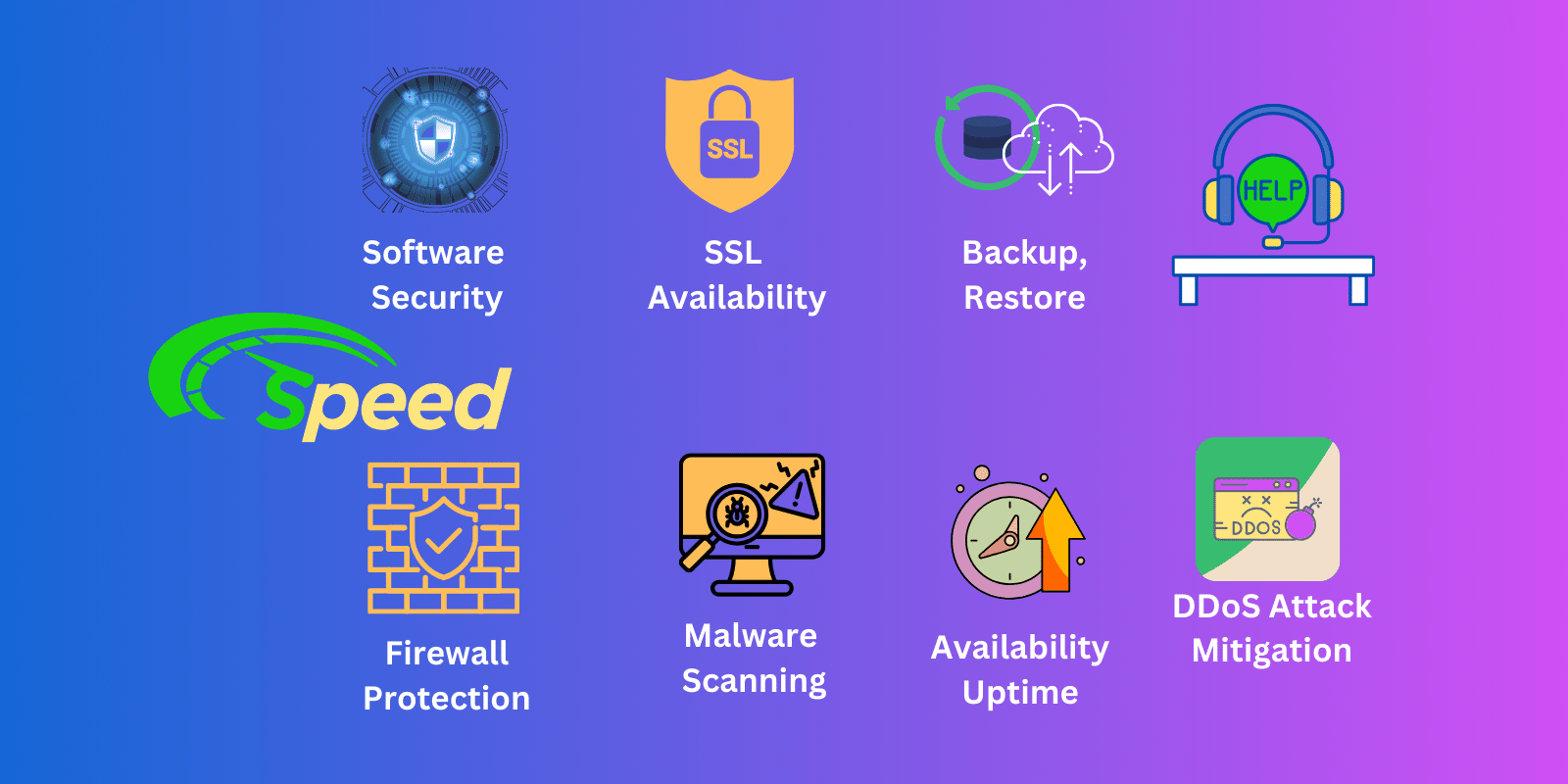
Choosing a web hosting provider is a balance of reliability, speed, support, and scalability weighed against your website’s specific requirements and budget. The right provider matches your current needs and supports your site’s growth over time.
Key Criteria for Selecting a Hosting Provider
Selecting the right host is crucial to your website’s success. Key factors include uptime reliability, where a higher percentage means your site is rarely down. Speed matters too, since slow websites drive visitors away. Look for customer support that is responsive and knowledgeable, because you’ll want quick solutions when issues arise.
Also consider scalability: your provider should be able to grow with your website’s needs. Finally, weigh the cost against the features provided to make sure you’re getting genuine value for your money.
Comparing Different Hosting Providers
When comparing providers, it’s not just about price. Examine the specifics of each plan. Some offer generous storage or bandwidth, while others lead on security features or specialized services like managed WordPress hosting.
User reviews and testimonials offer real insight into reliability and support quality. Reading an in-depth evaluation like our WPX Hosting review shows what to look for in a managed WordPress host. Finally, weigh extras such as free domain registration, website builders, or regular backups, which can add real value to a hosting package.
4. Types of Web Hosting
Exploring the Main Hosting Types
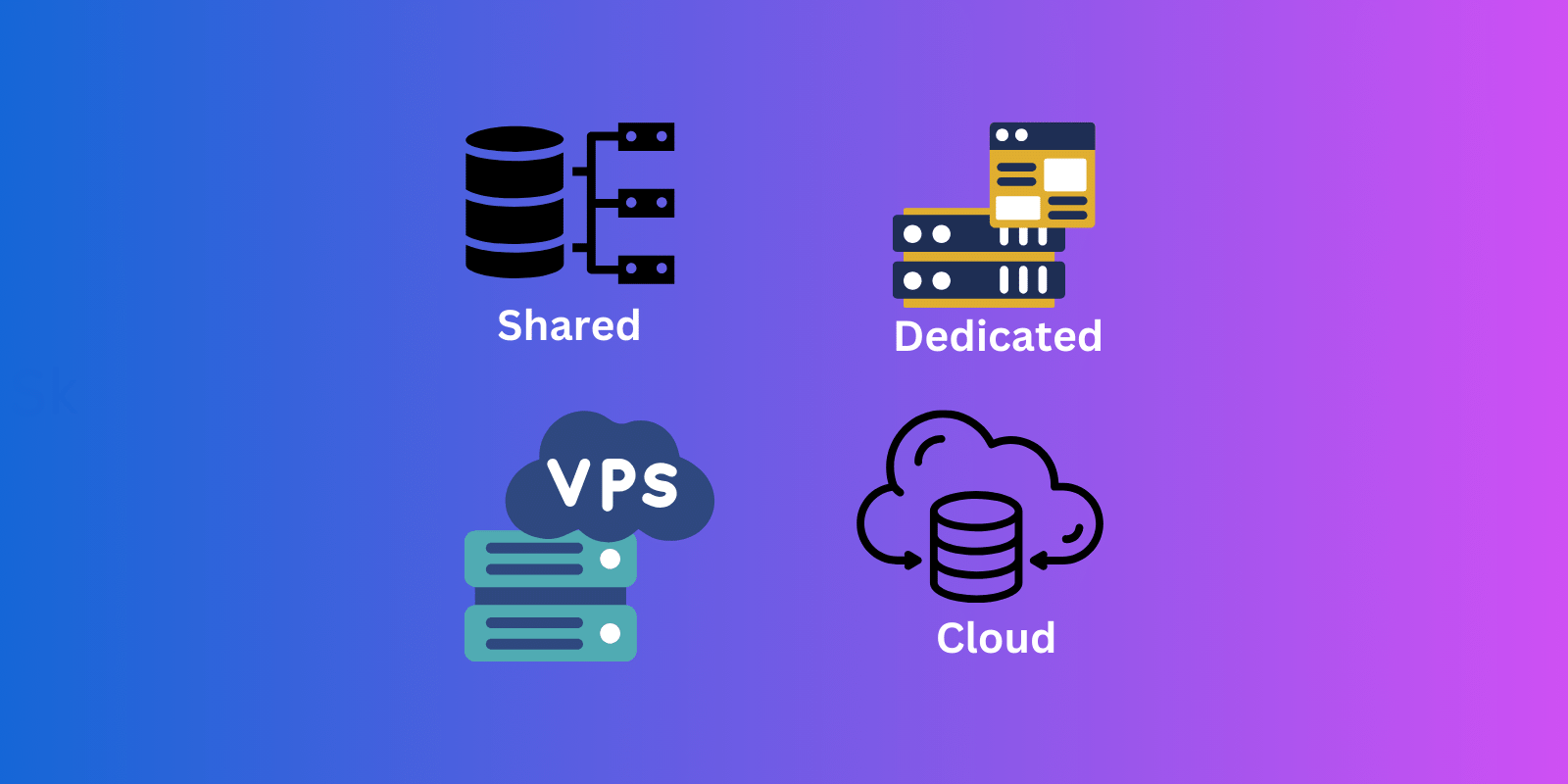
Web hosting comes in several forms, each designed for different needs:
- Shared hosting: A budget-friendly option where multiple websites share the same server resources. Ideal for small websites and blogs.
- VPS (Virtual Private Server) hosting: A middle ground between shared and dedicated hosting, offering more resources and better control than shared hosting without the cost of a full server.
- Dedicated hosting: An entire server’s resources devoted to your site, delivering maximum performance and security for large businesses and high-traffic websites.
- Cloud hosting: Uses multiple servers for greater reliability and scalability, handling sudden traffic spikes efficiently.
Shared, Dedicated, and Cloud Hosting Compared
Each hosting type suits different requirements. Shared hosting is cost-effective and user-friendly, perfect for beginners or small sites with lower traffic, though shared resources can limit performance.
Dedicated hosting, while more expensive, provides exclusive server resources for high performance, security, and customization, making it best for large businesses and high-traffic sites.
Cloud hosting brings together scalability and reliability, making it well suited to websites with variable traffic or rapid growth. Your choice ultimately depends on your site’s size, budget, and technical requirements.
5. Identifying Your Website Type

Matching Hosting to Your Website’s Purpose
The nature of your website plays a pivotal role in choosing the right hosting. Shared hosting often suffices for personal blogs or small portfolios, offering a cost-effective solution with adequate resources.
Business websites, especially those handling e-commerce or large traffic volumes, may need VPS or dedicated hosting for better performance and stronger security.
Websites with fluctuating traffic, such as news portals or seasonal promotional sites, benefit from the scalability of cloud hosting. Understanding your website’s primary function helps you pick a hosting service that fits. If you’re still deciding what kind of site to build, our roundup of the most profitable blogging niche ideas can help you clarify your direction first.
Special Considerations for Different Website Types
Different website types have unique hosting requirements. An online store, for example, needs robust security and the ability to handle spikes in traffic and transactions smoothly. A portfolio or personal blog might prioritize ease of use and low cost over advanced features.
Websites with heavy media content need ample storage and bandwidth, where dedicated or cloud hosting can be advantageous. For sites built on a content management system like WordPress, specialized WordPress hosting offers optimized performance and streamlined updates.
6. Choosing Hosting Features
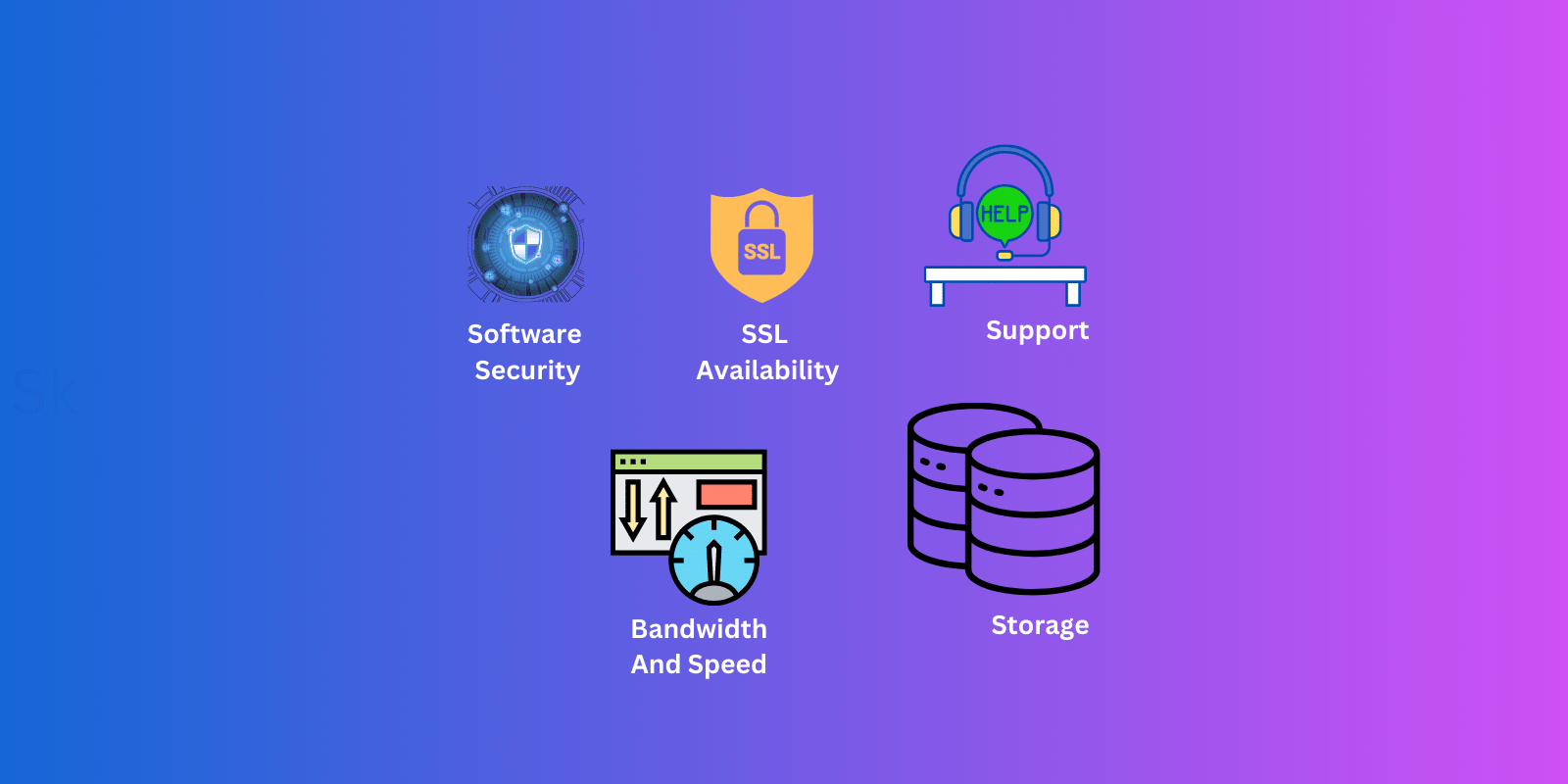
Hosting features range from essentials like uptime and security to advanced offerings such as automated backups and content delivery networks.
Essential Features in a Web Hosting Service
When selecting a host, certain features are fundamental. Reliability is key, so look for high uptime guarantees. Speed influences both user experience and SEO, so fast loading times are crucial. Security features, including SSL certificates, protect your site and your visitors.
Also consider the storage and bandwidth on offer, which should align with your website’s size and traffic. Good customer support is invaluable, ensuring help is available whenever you hit a problem. Finally, ease of use, often through a user-friendly control panel, makes managing your website far more efficient.
Advanced Features for Enhanced Performance
For sites with specific needs, advanced features can provide a meaningful boost. Scalable resources, like extra bandwidth or storage, matter for growing sites. Automated backups and recovery systems offer peace of mind by safeguarding against data loss.
For e-commerce sites, advanced security features such as DDoS protection and dedicated IP addresses strengthen credibility and safety.
Content Delivery Networks (CDNs) improve site speed and accessibility by distributing content globally. Managed services, especially for platforms like WordPress, save time and optimize performance through expert handling of the technical details.
7. Web Hosting Support Needs

Reliable customer support is indispensable, keeping your website running smoothly around the clock.
Evaluating the Support Offered by Hosts
The level of support a hosting company provides is a crucial factor. Efficient customer service can be a lifesaver during technical difficulties. When evaluating a host, check their support channels: do they offer 24/7 assistance via phone, email, or live chat?
Look into their response times and the expertise of their support team. Reading customer reviews and feedback gives real-world insight into support quality. A host with a proactive, knowledgeable support team can greatly improve your website management experience.
The Importance of Reliable Support in Hosting
Reliable support isn’t just about solving problems; it’s about ensuring your website’s continuous, smooth operation. Good support helps you navigate complex issues like server downtime, security threats, or software glitches.
It also plays a vital role in maintaining performance and can guide you in optimizing your hosting resources. In short, dependable support from your provider isn’t just a feature; it’s an integral part of your website’s success and stability.
8. Planning for Website Growth

Planning for future growth and setting a clear budget for web hosting are crucial steps that pay off as your site expands.
Scalable Hosting Solutions
As your website grows, so do its hosting needs. Scalable hosting solutions are vital for accommodating that growth without hindering performance. Look for plans that let you upgrade server resources like CPU, RAM, and storage.
Cloud hosting is often a great choice for scalability, since it allows rapid adjustment of resources in response to your site’s changing demands. A plan that grows with your website ensures you can handle increased traffic and content without a hitch.
Preparing for Future Traffic and Resource Needs
Anticipating future growth is key to selecting the right service. If you expect a steady increase in traffic, consider hosting options with high bandwidth and storage limits. For businesses planning to add more online services or e-commerce features, make sure your hosting can support additional databases, email accounts, and security needs.
Regularly reviewing your website’s performance and hosting usage helps you predict when to upgrade, keeping your site running smoothly as it evolves.
9. Setting a Web Hosting Budget

A smart budget balances scalable, cost-effective hosting against your expanding needs while keeping expenses in check.
How to Budget for Web Hosting
Budgeting for hosting means balancing your website’s needs with what you can afford. Start by assessing your site’s traffic, storage, security, and speed requirements. Allocate funds with those needs in mind, but also plan for future growth. Remember, the cheapest option is rarely the most cost-effective in the long run.
Factor in potential extra costs like domain registration, SSL certificates, and backup services. By understanding your website’s requirements, you can build a more accurate and effective hosting budget. If you haven’t secured a domain yet, our guide to domain name creation walks you through choosing one before you commit to a plan.
Cost-Effective Hosting Options
Several cost-effective options deliver quality without overspending. Shared hosting is a great starting point for small websites and blogs with lower traffic, and many providers offer basic plans with essential features at a low price.
Watch for deals and discounts, but be wary of long-term contracts that look cheaper up front. Free hosting can work for basic personal websites, though it usually has limitations. Always read the fine print to understand exactly what you’re getting for the price.
10. Free vs. Paid Web Hosting

Free hosting can be a great starting point for basic, low-traffic sites. For professional and growing websites, though, investing in paid hosting with stronger features and reliability is usually the wiser move.
Benefits and Limitations of Free Hosting
Free web hosting is attractive for anyone who wants to start a basic website without a financial commitment. It’s especially appealing for small projects, personal blogs, or as a learning platform for beginners. But free hosting has clear limits.
It typically offers minimal storage, limited bandwidth, and basic customer support. Free hosting also often places advertisements on your site and may lack crucial features like SSL certificates. These constraints can become significant if you plan to scale or professionalize your website.
When to Invest in Paid Hosting Services
Paid hosting becomes essential once your website’s demands exceed what free hosting can handle. To build a professional, business-oriented website, paid plans offer enhanced security, more storage and bandwidth, better uptime, and advanced features.
They also give you greater control, including custom domain names and no forced ads. For e-commerce sites, blogs expecting high traffic, or any site aiming for growth and stability, paid hosting is a worthwhile investment in a reliable, professional web presence.
11. Picking a Web Hosting Provider

Finalizing Your Hosting Choice
Choosing the right provider is a pivotal step in your website’s journey. Before finalizing, review the provider’s track record for reliability and customer satisfaction. Make sure their plans align with your current needs and leave room for growth.
Consider the level of customer support they provide: is it 24/7, and are the support channels convenient for you?
Finally, check for benefits like free domain registration or site migration services. A thorough comparison of features versus costs across several providers will help you make a well-informed decision.
What to Do After Choosing a Provider
Once you’ve chosen a provider, the next steps set your website up for success. If needed, register or transfer your domain name to the new host. Set up your hosting account and get familiar with the control panel.
This is where you’ll manage your website’s files, databases, and email accounts. Install any necessary applications, such as a content management system, and make sure your security features are activated. Finally, monitor your website’s performance and resource usage regularly so it continues to meet your needs.
12. Free Web Hosting Services

Exploring Free Hosting Options
Free web hosting services appeal to anyone starting out or experimenting with a web presence without financial investment. These services usually provide basic capabilities, including limited storage and bandwidth, and sometimes a subdomain rather than a custom domain.
While free hosting can be a useful testing ground for beginners, it’s important to understand its limitations. Performance, security features, and customer support are typically minimal, and there may be restrictions on monetizing your website.
When Free Hosting Is the Right Choice
Free hosting can be the right call under specific circumstances. It suits personal projects, portfolios, or experimental websites where budget is the top priority. If your site is expected to have low traffic, minimal content, and no commercial goals, free hosting can serve you well.
It’s also great for learning web development or content management systems without upfront costs. For any long-term project aiming for growth, reliability, or professional presentation, however, transitioning to a paid service is the smart next step.
13. Hosting for Small Businesses

Small businesses need hosting that blends performance, security, and scalability, with extra tools to support operations and customer engagement.
Finding the Right Host for Your Small Business
For small businesses, finding a provider that balances cost, performance, and scalability is essential.
Key features should include reliable uptime, sufficient storage and bandwidth, and robust security measures to protect sensitive business and customer data.
A host with excellent customer support is also vital for resolving issues quickly. Beyond that, look for hosts that provide business-specific tools, such as e-commerce platforms, email hosting, and website builders, to streamline your online operations. A well-hosted site also gives you a strong base for content, and our tips on how blogging can add value to your business show how to turn that site into a growth channel.
Special Hosting Considerations for Small Businesses
Small businesses should weigh specific hosting aspects. As your business grows, your website should scale with it, so scalable hosting options are a must.
Consider the potential for increased traffic and make sure your chosen plan can handle it without hurting performance. Security is paramount: look for SSL certificates, regular backups, and malware protection.
Also assess how easily the hosting integrates with other business tools and platforms, ensuring seamless operation and management of your online presence.
Frequently Asked Questions
What is web hosting in simple terms? Web hosting is a service that stores your website’s files on a server and makes them available online. When someone enters your web address, the host’s server delivers your site to their browser. Without hosting, your website can’t be seen on the internet.
What are the main types of web hosting? The four main types are shared, VPS, dedicated, and cloud hosting. Shared is the cheapest and best for small sites, VPS offers more control and resources, dedicated gives you a whole server for high-traffic sites, and cloud delivers scalable reliability for variable or growing traffic.
What factors should I consider when choosing a web hosting provider? Prioritize uptime reliability so your site stays accessible, 24/7 customer support with good reviews, scalability to upgrade as you grow, security features like SSL certificates and backups, and a price that balances cost against the features and performance offered.
What are the minimum server requirements for my website? It depends on your site type, since a simple blog needs far less than an e-commerce store. As a baseline, aim for at least 1GB of RAM, enough disk space for your content, and adequate bandwidth. For a CMS like WordPress, you’ll also need PHP support and an SQL database.
What is the difference between bandwidth and disk space? Disk space is the storage allocated for your website’s files, while bandwidth is the amount of data transferred to and from your website over a period, usually measured monthly. You need enough disk space for your content and enough bandwidth for your traffic.
How do I scale my website to handle more traffic? Upgrade your hosting plan for more resources like bandwidth and CPU, consider moving to cloud or VPS hosting for better scalability, optimize your site with image compression and caching, and monitor traffic patterns regularly so you can prepare for peak times.
Conclusion
Your choice of web hosting has a direct, lasting impact on your website’s speed, reliability, and ability to grow. From understanding the core hosting types (shared, VPS, dedicated, and cloud) to evaluating providers, prioritizing the right features, budgeting realistically, and weighing free against paid options, each decision shapes your online journey.
Start by identifying your website’s type and current needs, then match them to a provider that can scale with you. With the fundamentals in this guide, you’re ready to choose a hosting service in 2026 with confidence. For a beginner-friendly next step, revisit our web hosting guide for beginners and lock in the right foundation for your site.